
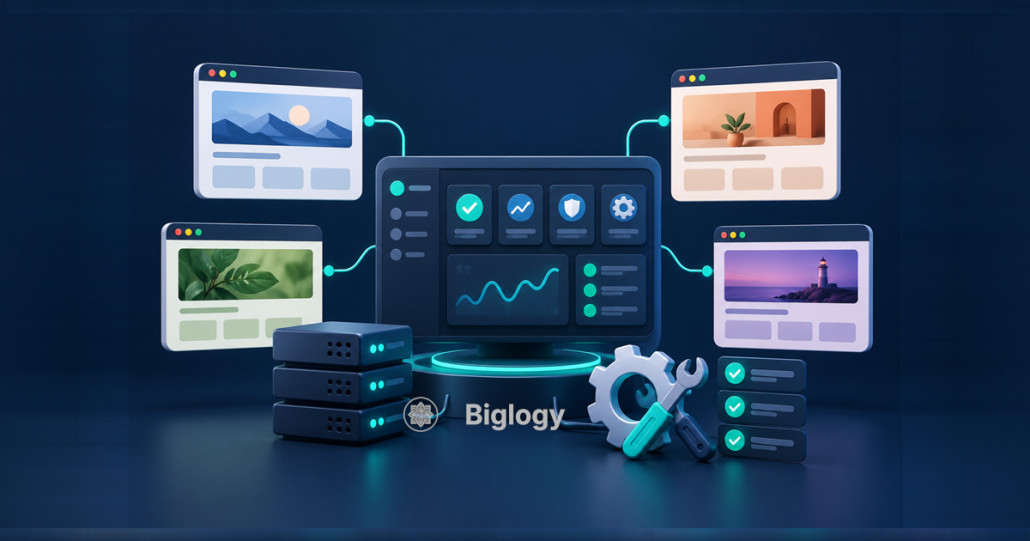
How Should You Plan for Managing Multiple WordPress Sites with MainWP?
Short Answer
Multi-site WordPress management with MainWP is designed to help you coordinate updates, backups, security checks, performance monitoring, uptime monitoring, user control, and content maintenance from one central place. However, MainWP should not be treated only as a bulk-update dashboard. A stable structure should be built on site inventory, risk classification, backup rules, staging discipline, an update schedule, security checks, client or project separation, permission management, and a reporting system.
From Biglogy’s perspective, MainWP is a tool that can simplify operations, but it does not remove the responsibility for trust, verification, and maintenance. The goal of multi-site management is not to click faster. It is to run a safer and more sustainable WordPress operation with fewer avoidable mistakes.
Who Is This Article For?
This operations guide is intended for:
- People who manage multiple WordPress sites
- People with a portfolio of affiliate or content sites
- Agencies and freelancers
- People who provide maintenance services for client sites
- People who want to centralize WordPress updates, backups, and security processes
- People considering MainWP but who have not yet defined their operating model
- People who want to approach tool usage in the Biglogy framework with a focus on system, security, and maintenance discipline
Clarify This First
Before installing MainWP, answer this question:
Do I want to manage only plugin updates, or the full WordPress maintenance operation?
If the answer is only “updating from a single dashboard,” that is not enough. In multi-site WordPress management, the risks are not limited to outdated plugins.
Areas that also need to be managed:
- Site inventory
- Hosting and access information
- Backup status
- Security status
- Plugin and theme updates
- PHP and WordPress core compatibility
- Uptime monitoring
- Performance checks
- Broken links
- Affiliate links
- Content update needs
- User roles
- Client or project reports
MainWP can serve as the operational center for this structure, but the rules should be defined before the tool is used at scale.
What Is MainWP?
MainWP is a self-hosted multi-site management tool that allows you to monitor multiple WordPress sites from one dashboard and centralize maintenance tasks.
It is commonly used for:
- WordPress core updates
- Theme and plugin updates
- Site status monitoring
- Security check integrations
- Backup integrations
- Uptime monitoring
- Client reporting
- Bulk plugin management
- User management
- Content and site maintenance checks
Its value comes from making many tasks easier to view and organize in one place. However, the operational decisions still belong to the team using it: when to update, which site to check first, which update to postpone, and which sites require the most caution.
When Is MainWP Necessary?
MainWP is not a requirement for every WordPress user. It becomes more useful when the maintenance workload starts to feel fragmented, repetitive, or difficult to track across several sites.
It is often a strong fit in situations like these:
- You manage a growing portfolio of WordPress sites
- You provide client maintenance services
- You run multiple affiliate or content sites
- Updates and backups are being tracked inconsistently
- Logging into each site one by one slows down the workflow
- You want more centralized visibility for security and uptime
- Reporting is part of the service
- Responsibilities need to be shared across a team
When Might It Not Be Necessary?
MainWP may be unnecessary or premature in situations like these:
- You manage only a very small and stable set of sites
- The sites are low-risk and easy to maintain manually
- Updates and backups are already handled well through another reliable process
- There is no operational discipline behind the tool
- The tool will be installed but not reviewed consistently
- Managed hosting or another control layer already covers the practical needs
Decision Matrix
| Scenario | Is MainWP a Strong Fit? | Why? | Main Risk | Recommendation |
|---|---|---|---|---|
| Small personal site set | Often no | Manual monitoring may still be manageable | Unnecessary complexity | Use a simple maintenance checklist first |
| Growing WordPress portfolio | Often yes | Updates and monitoring become harder to track site by site | Bulk-update mistakes | Classify sites before centralizing them |
| Agency client sites | Usually yes | Reporting, accountability, and repeatable processes matter | Confusion around authority and responsibility | Set up a client-based structure |
| Affiliate site portfolio | Often yes | Links, uptime, and content freshness may all affect results | Treating the system as only an update panel | Plan for editorial maintenance as well as technical maintenance |
| Critical e-commerce sites | Use with care | Central visibility helps, but the consequences of mistakes are higher | Operational loss after an update | Require staging and backup discipline |
| Managed hosting already covering most needs | Depends on the situation | Some maintenance tasks may already be centralized | Duplicate process layers | Run a gap analysis before adding another tool |
| Team-based operations | Often yes | Ownership, visibility, and reporting become more important | Role confusion | Create a clear authority matrix |
How Should a MainWP Operation Be Planned?
1. Create a Site Inventory
Before adding sites to MainWP, create an inventory of all WordPress sites.
Useful inventory fields:
| Field | Description |
|---|---|
| Site name | Project or client name |
| Site URL | Live site address |
| Site type | Blog, affiliate, e-commerce, corporate, landing page |
| Critical level | Low, medium, high, or very high |
| Hosting provider | Where the site is hosted |
| Backup method | Hosting, plugin, or external system |
| Update frequency | How often updates are reviewed |
| Person in charge | Who performs maintenance |
| Notes | Specific risks, dependencies, or critical plugins |
Without this inventory, the MainWP dashboard can become crowded and harder to interpret.
2. Categorize Sites by Risk Level
Not every site should be managed under the same maintenance rules.
Example risk classes:
- Low risk: Personal blog, low traffic, no critical revenue dependency
- Medium risk: Content site with regular traffic
- High risk: Sites generating affiliate revenue, collecting leads, or supporting active business activity
- Very high risk: E-commerce, payment-processing, membership, or mission-critical business sites
The update approach should change with the risk level.
3. Clarify the Backup Policy
The backup system should be defined before running updates through MainWP.
Minimum questions:
- Is there a recent backup before the update?
- Is the backup stored outside the live environment when needed?
- Has the restore process been tested?
- Is there a staging environment for critical sites?
- Are the database and files both included in the backup process?
If the backup situation is unclear, bulk updating should be treated as a high-risk action.
4. Determine an Update Strategy
WordPress core, theme, and plugin updates do not carry the same operational risk.
A practical approach:
| Update Type | Approach |
|---|---|
| Security update | Prioritize promptly |
| Minor WordPress update | Usually lower friction, but still verify afterward |
| Major WordPress update | Test before broad rollout |
| Critical plugin update | Read the changelog first |
| WooCommerce or payment-related update | Treat staging as essential |
| Theme update | Require visual inspection |
| Page builder update | Check layout and page integrity carefully |
5. Set Rules for Bulk Updates
MainWP’s convenience in bulk operations also creates risk.
Useful bulk-update rules:
- Do not treat one-click bulk updates as a default for critical sites
- Test on lower-risk sites first when appropriate
- If the same plugin exists on many sites, begin with a limited rollout
- Confirm the backup status before updating
- After the update, check the homepage, key pages, and important forms
- Avoid major operational changes at moments when rapid follow-up will be difficult
6. Add Security Monitoring
MainWP can act as a central monitoring point for security operations.
Items worth checking:
- Number of admin users
- Weak usernames
- Outdated plugins
- Unused themes
- Security plugin status
- SSL status
- Suspicious file changes
- Login attempts
- Users with elevated privileges
Security is not just about installing plugins. It is about maintaining a repeatable audit habit.
7. Plan Uptime and Performance Monitoring
When managing multiple sites, you need visibility into whether a site is available and whether its performance is degrading.
Areas to monitor:
- Uptime
- Average response time
- Core Web Vitals
- Cache status
- CDN status
- Image optimization
- Database bloat
- Heavy plugins
- Error logs
For affiliate and lead-generation sites, uptime or performance issues can have business consequences quickly.
8. Set Up Client- or Project-Based Reporting
The reporting layer matters in agency and client operations.
Reports may include:
- Updates completed
- Backup status
- Uptime summary
- Security checks
- Performance notes
- Critical alerts
- Next maintenance recommendations
However, the report should do more than say how many plugins were updated. It should explain what was maintained, what risks were reduced, and what needs attention next.
Weekly / Monthly Operations Plan
Weekly Check
- Are the site links working?
- Are there any critical updates to review?
- Have recent backups been created?
- Are there any uptime issues?
- Are there any security alerts?
- Are there any broken forms or checkout pages?
- Are there any critical issues in affiliate links?
Monthly Check
- Have plugin and theme updates been reviewed across the portfolio?
- Have unused plugins been removed?
- Have user roles been reviewed?
- Is there a noticeable performance drop?
- Is database cleanup needed?
- Are there any content or link maintenance needs?
- Has the client or project report been prepared?
Quarterly Check
- Is the hosting setup still sufficient?
- Is the staging workflow functioning for critical sites?
- Has a restore test from backup been performed?
- Is the security policy still current?
- Are any sites in the portfolio ready to be merged, retired, or restructured?
- Is the content update plan aligned with the technical maintenance plan?
Common Mistakes When Using MainWP
1. Performing bulk updates without proper oversight
MainWP’s convenience does not remove update risk. Staging and backups are especially important for critical sites.
2. Assuming the backup system is reliable without verification
Assuming that a hosting provider is taking backups is not enough. You should know where the backups are stored and whether they can actually be restored.
3. Treating all sites as equally important
A critical affiliate site and a low-priority test site should not follow the same update policy.
4. Treating MainWP as disconnected from content operations
WordPress maintenance is not only technical. Content freshness, affiliate links, broken links, and outdated pricing information are part of operations too.
5. Neglecting permission management
Not everyone on the team should have full access to every site. Roles and responsibilities should be explicit.
6. Turning reporting into a pile of metrics
A good maintenance report shows what was done, what changed, and what risks remain. It should not become a noisy list of numbers with no decision value.
7. Failing to protect the MainWP dashboard itself
The MainWP dashboard is a critical control layer. It should be protected with strong security, backups, and clear access control.
The Biglogy Perspective
For Biglogy, MainWP can be a useful tool for centralizing multi-site WordPress operations. However, the value of the tool comes from the maintenance standards built around it.
The right MainWP plan balances:
- Speed
- Security
- Backup discipline
- Update discipline
- Site prioritization
- Client or project reporting
- Content freshness
- Affiliate link health
- The relationship between technical and editorial maintenance
Biglogy’s approach can be summarized like this:
MainWP simplifies multi-site management, but it does not automate maintenance responsibility.
Conclusion
When planning multi-site WordPress management with MainWP, the goal should not be limited to updating sites from one dashboard. A healthier operation starts with site inventory, risk classification, backup and staging rules, an update strategy, and a reporting structure.
A practical starting sequence looks like this:
- Create an inventory of all WordPress sites
- Classify sites by risk and importance
- Clarify the backup and rollback policy
- Develop an update strategy
- Establish bulk-update rules
- Add security, uptime, and performance checks
- Set up a client- or project-based reporting structure
- Build weekly, monthly, and quarterly maintenance cycles
The best MainWP setup is not the one that displays the most sites in one panel. It is the one that makes each site’s risks, maintenance needs, and operational responsibilities more visible.
FAQ
What is MainWP?
MainWP is a multi-site management tool used to manage multiple WordPress sites from one dashboard. It can help centralize updates, backup integrations, security checks, uptime monitoring, and reporting.
Who is MainWP suitable for?
It is often suitable for agencies, freelancers, affiliate site owners, and teams that maintain multiple WordPress sites.
Is performing bulk updates with MainWP safe?
Bulk updates can save time, but they are not automatically safe. Backups, staging, and post-update checks are especially important for critical sites.
Does MainWP perform backups?
MainWP can help coordinate backup processes through integrations and workflow management. However, the backup strategy, storage location, and restore testing should still be planned separately.
Is MainWP useful for agencies?
Yes, it can be useful for agencies that need a central way to monitor client sites, schedule maintenance work, and prepare reports.
Is MainWP necessary for a single site?
Not always. For a very small number of stable sites, manual maintenance or a hosting control panel may still be enough.
What is the biggest risk when using MainWP?
A major risk is relying too heavily on dashboard convenience, then making uncontrolled bulk changes without backup or staging discipline.
How does Biglogy evaluate the use of MainWP?
Biglogy views MainWP as a tool that centralizes maintenance operations, while emphasizing that responsibility for security, backups, updates, and content maintenance must remain with people and process design.


Leave a Reply
Want to join the discussion?Feel free to contribute!