
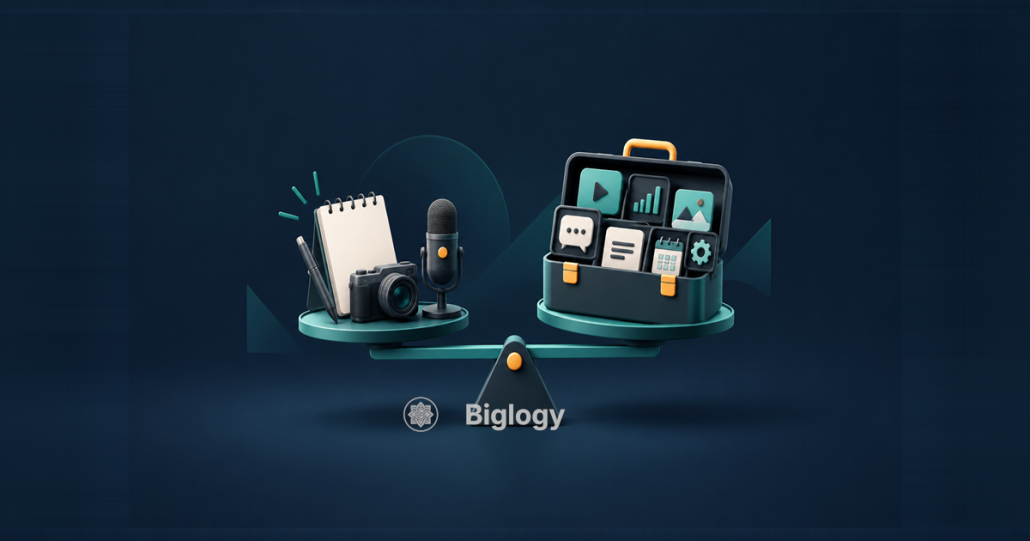
Choosing Tools in the Creator Economy: Start Simple or Go with an All-in-One Platform?
Short Answer
There is no universal answer to this decision. A simple setup is often the better starting point when a creator is still validating the offer, learning what buyers actually need, and trying to avoid unnecessary complexity. An all-in-one platform can become more attractive when the business has more moving parts and the creator wants payments, delivery, email, subscriptions, customer management, and reporting to work together inside a more unified system.
From Biglogy’s perspective, the better question is not “Which tool is more popular?” but which setup best fits the current product model, operational workload, support requirements, technical capacity, and long-term flexibility.
Who Is This Decision Guide For?
This guide is for:
- creators who want to sell digital products
- people selling PDFs, templates, courses, memberships, coaching, or consulting offers
- solo operators deciding whether to begin with a lightweight stack or a more integrated platform
- small teams trying to balance cost, simplicity, customer experience, and operational control
- anyone who wants to treat tool selection as a business decision rather than a trend decision
The Reader’s Core Problem
When creators begin selling, they often hear two competing pieces of advice:
- “Start as simply as possible.”
- “Build a full system early so you do not have to migrate later.”
Both can be reasonable. The right answer depends on context.
A poor tool decision can create several problems:
- paying for a complex platform before the offer is proven
- stitching together too many disconnected tools
- creating a fragmented customer experience
- underestimating manual work
- locking the business into a platform too early
- ignoring data portability until it becomes urgent
- focusing on software before clarifying the actual offer
The core principle is this:
Tool choice should follow business-model maturity, not feature envy.
Clarify This First
Before choosing tools, answer these questions:
- What are you selling?
- Is it a one-time purchase, a recurring product, or a service?
- Is delivery based on files, lessons, access, community, appointments, or something else?
- How much support will customers need after purchase?
- Is email automation necessary now, or only later?
- Will community features be central or optional?
- How will billing, tax, or invoicing be handled?
- Are you working alone or with a team?
- How much technical setup can you realistically manage?
- If you ever need to switch platforms, how easy should migration be?
- What might the broader product ecosystem look like in the near future?
If these answers are still unclear, the simple-versus-all-in-one decision is usually premature.
Basic Concepts
Starting Simple
Starting simple means launching with a minimal setup that can handle checkout, delivery, and communication without unnecessary layers.
All-in-One Platform
An all-in-one platform is a system that tries to bring multiple business functions into one environment, such as payments, product hosting, email, automation, memberships, customer management, and analytics.
Best-of-Breed Approach
This means choosing separate tools for separate jobs and connecting them as needed. It can provide flexibility, but it can also increase operational complexity.
Total Cost of Ownership
This includes not only subscription fees, but also payment costs, email tools, integration tools, administrative overhead, manual work, support effort, and future migration effort.
Platform Lock-In
Platform lock-in is the difficulty of leaving a tool because the content, customer data, automations, or workflows are too deeply tied to that platform.
Operational Debt
Operational debt is the hidden cost created when a system seems fast at first but becomes harder to maintain as the business grows.
When Does It Make Sense to Start Simple?
Starting simple often makes sense when:
- the product idea is still being tested
- the offer is narrow and easy to deliver
- customer support needs are limited
- there is no immediate need for subscriptions or community infrastructure
- the creator wants fast learning with low complexity
- the budget is tight
- the long-term system is not yet clear
Starting simple does not mean looking unprofessional. It means reducing unnecessary infrastructure while the business learns.
When Does an All-in-One Platform Make Sense?
An all-in-one platform becomes more reasonable when:
- multiple products need to work together
- memberships, courses, or community features matter
- manual delivery is becoming harder to manage
- customer communication and segmentation are becoming more important
- several workflows need to be coordinated in one place
- the creator wants fewer moving parts across separate tools
- the business is stable enough to justify a more integrated operating model
An all-in-one platform can reduce fragmentation, but it should solve a real operational problem rather than simply add a bigger subscription.
Simple Setup vs. All-in-One Platform
| Criterion | Starting Simple | All-in-One Platform |
|---|---|---|
| Initial cost | Often lower | Often higher |
| Setup speed | Usually faster | Usually slower |
| Learning curve | Often lighter | Often steeper |
| Flexibility | Can be high | Depends on platform limits |
| Ease of operation over time | May become harder as complexity grows | May become easier if the system fits well |
| Integration needs | Often higher | Often lower |
| Data portability | Varies by setup | May create stronger platform dependence |
| Customer experience | Can feel fragmented if poorly connected | Can feel more unified |
| Scalability | Can be enough for focused offers | Can better support a wider ecosystem |
| Main risk | Operational friction | Platform dependency |
Decision Matrix
| Situation | More Reasonable Direction | Why | Risk to Watch |
|---|---|---|---|
| Testing a first product | Start simple | Fast learning matters more than system depth | Delivery trust still needs care |
| Selling one focused file or template | Start simple | The workflow may not need heavy infrastructure | Delivery and support can still become messy |
| Selling a course with follow-up email needs | Depends on the offer | Student experience may require more structure | A lightweight setup can become fragmented |
| Running memberships or recurring access | More robust infrastructure | Access, continuity, and customer handling matter more | Complexity and cost need control |
| Community is central to the offer | Integrated or community-led setup | Engagement needs a coherent experience | Inactive community risk |
| Multiple connected products | More integrated system | Operational consistency matters more | Platform lock-in |
| Low technical capacity | More guided system | Reduces integration burden | Lower flexibility |
| Very limited budget | Start simple | Protects cash while learning | Manual work may expand |
| International sales complexity | Depends on the setup | Payment, tax, and delivery requirements vary | Compliance must be verified |
The Strengths of Starting Simple
1. Faster testing
A simpler setup makes it easier to test the offer, the message, and the buying flow.
2. Lower commitment
You avoid committing too early to a platform that may not fit the final business model.
3. Less setup friction
More energy can go into the offer and the customer experience instead of infrastructure.
4. Easier iteration
The system can evolve more naturally as real customer behavior becomes visible.
5. Lower early dependency
You reduce the risk of building the business around a tool before the model is proven.
Risks of Starting Simple
1. Manual work can pile up
What feels manageable at first may become repetitive and tiring later.
2. The customer experience can become fragmented
If checkout, delivery, support, and communication all happen in different places, the experience may feel less coherent.
3. More integration problems can appear
More moving parts often means more places for something to break.
4. Data can become scattered
Orders, customer notes, email history, and support context may end up in different systems.
5. Migration can still become painful
If the simple setup grows without structure, changing later may be more difficult than expected.
Strengths of an All-in-One Platform
1. Centralized operations
Payments, customer records, delivery, communication, and reporting can sit in one environment.
2. A more consistent customer journey
Buyers may move through the system with fewer handoffs and fewer confusing transitions.
3. Easier automation
It can be easier to connect access, email, segmentation, and follow-up when the tools are already integrated.
4. Better support for teams
Collaboration is often easier when everyone works inside the same operational environment.
5. Stronger fit for a broader ecosystem
A more integrated system can make sense when the business includes several products or layers of customer access.
Risks of an All-in-One Platform
1. Higher upfront commitment
A creator may invest in more infrastructure before there is enough evidence that it is needed.
2. Platform lock-in
The more the business depends on one platform, the harder future migration may become.
3. Uneven feature quality
A platform that does many things may not be the best at every single one.
4. Reduced flexibility
The creator can usually customize only within the limits of that system.
5. More difficult exits
Content, customers, automations, and workflows may become harder to move later.
Biglogy’s 3-Step Approach
Step 1: Validation
At this stage, the goal is to test the offer with as little unnecessary infrastructure as possible.
A practical setup may include:
- a clear landing page
- a reliable checkout path
- a simple delivery workflow
- a visible support channel
- a clear refund or return policy
Step 2: Systematization
At this stage, the goal is to reduce repetitive work and improve consistency.
A stronger setup may include:
- cleaner checkout logic
- better email automation
- customer tracking
- delivery automation
- clearer administrative workflows
- more dependable support handling
Step 3: Scaling
At this stage, the goal is to support a broader product ecosystem without letting the system become chaotic.
That may include:
- stronger segmentation
- better reporting
- integrated memberships or courses
- clearer team roles
- more robust customer lifecycle management
- a more integrated platform if the business now truly benefits from it
This approach helps make operational debt visible before it becomes expensive.
Questions to Ask Before Choosing a Tool
- Has the offer already been validated through real sales?
- Is this one product or the beginning of a larger ecosystem?
- Is the offer one-time, recurring, or service-based?
- How will delivery actually happen?
- How much support will buyers need?
- Is email automation required now?
- Is community central to the value of the product?
- How will invoicing, tax, or admin tasks be handled?
- Can the current operator realistically manage integrations?
- What is the full cost beyond the headline subscription?
- Have payment and transaction costs been considered?
- Can customer data be exported?
- Can the system be changed later without major disruption?
- Will this setup still make sense if the offer expands?
- How much manual work does the “simple” option really create?
How Should Total Cost of Ownership Be Calculated?
When comparing tools, the subscription fee is only one part of the decision.
| Cost Item | Why It Matters |
|---|---|
| Platform subscription | Creates fixed recurring cost |
| Payment costs | Affects each transaction |
| Email tools | May add cost as the list grows |
| Administrative tools | Support invoicing, tax, or operations |
| Integration tools | Add cost when separate systems need to connect |
| Customization needs | Can create added setup or maintenance cost |
| Support workflows | Customer support has operating cost |
| Time cost | Manual work is still a real cost |
| Migration cost | Switching later may carry hidden expense |
A simple setup can look inexpensive while quietly increasing labor. A larger platform can look expensive while reducing repeated work. The real question is which cost structure fits the business stage.
Which Approach Fits Which Creator?
| Creator Situation | Likely Better Direction | Why |
|---|---|---|
| Testing a first product | Start simple | Learning and speed matter most |
| Selling a single focused digital item | Simple setup | A heavy system may be unnecessary |
| Selling courses | Mid-level or integrated setup | Delivery experience matters more |
| Running memberships | Stronger recurring-access setup | Ongoing access and account control matter |
| Community-led business | Community-aware setup | Engagement is part of the value |
| Multiple connected products | More integrated system | Operations need consistency |
| Low technical confidence | More guided setup | Reduces integration burden |
| Complex international selling needs | Depends on requirements | Operational and compliance details matter |
Common Mistakes
1. Letting the platform define the business model
The offer should shape the system, not the other way around.
2. Mistaking expensive tools for professionalism
A secure and clear customer experience matters more than tool prestige.
3. Building a large system before the offer is proven
Extra infrastructure does not fix an unclear product or weak sales message.
4. Ignoring the manual burden of a simple setup
A lightweight system is helpful only if the operator can realistically maintain it.
5. Forgetting about data portability
It is easier to evaluate exportability early than to discover lock-in later.
6. Comparing only monthly fees
Operational cost includes more than the subscription line.
7. Relying on one platform without understanding the trade-offs
Centralization can help, but it also concentrates risk.
8. Treating a tool change as a strategy change
If the core issue is the offer, switching tools will not solve it.
The Biglogy Perspective
For Biglogy, the real decision is not whether “simple” or “all-in-one” sounds more professional. The real question is:
At this stage, which system lets the creator deliver the customer promise with the least unnecessary risk and the clearest operational logic?
A simple setup may be exactly right at the beginning. A more integrated setup may become right later. The better choice depends on the maturity of the offer, the complexity of the workflow, and the operational burden the creator is actually carrying.
Tool selection is a balance between today’s speed and tomorrow’s operational debt.
Conclusion
In the creator economy, there is no single best answer to the question of whether to start simple or move to an all-in-one platform.
A practical decision logic looks like this:
- if the offer is still being validated, simplicity is often an advantage
- if the product ecosystem is becoming broader, integration matters more
- if manual work is increasing, operational design matters more
- if recurring access, customer journeys, or community are central, a more robust setup may be necessary
- if migration would be painful, data portability should be evaluated early
- if a simple system is chosen, checkout, delivery, support, and communication should still feel dependable
The right tool is not the one with the longest feature list. It is the one that best fits the current business stage and helps the creator deliver on the promise being made to buyers.
FAQ
Is it usually better to start simple?
Often yes, especially when the offer is still being tested. But “simple” still needs to be reliable.
When does an all-in-one platform become more attractive?
Usually when the business needs a more unified customer journey, broader product infrastructure, and less fragmented operations.
Does a simple system look amateur?
Not if the offer is clear and the customer experience feels trustworthy.
Is an all-in-one platform always better?
No. It can improve operations, but it can also increase cost and dependency if adopted too early.
What is the most important criterion in tool selection?
The strongest criterion is how well the setup supports the product model and the customer promise.
What is platform lock-in?
Platform lock-in is the difficulty of moving away from a system because too much of the business depends on it.
How should total cost be evaluated?
Look at subscription cost, transaction costs, delivery and support effort, integration overhead, and the time cost of manual work.
How does Biglogy evaluate tool selection?
Biglogy evaluates it through product model, business stage, customer experience, total cost, portability, and operational risk.
Related posts:
 Complete Comprehensive Amazon Glossary: 230+ Essential Terms and Acronyms You Must Know
 The Biggest Mistake in Digital Product Sales: Not Clarifying the Offer Before Choosing a Platform
 How to Set Up a Checkout, Email, and Delivery System for Digital Product Sales?
 What Should Someone Who Wants to Sell Digital Products Decide First?

Trackbacks & Pingbacks
[…] To balance all-in-one simplicity against modular flexibility without falling into unnecessary tool sprawl, weigh our comparisons between systeme.io vs. ClickFunnels and systeme.io vs. Kajabi alongside Biglogy’s simple vs. all-in-one tool framework. […]
Leave a Reply
Want to join the discussion?Feel free to contribute!