
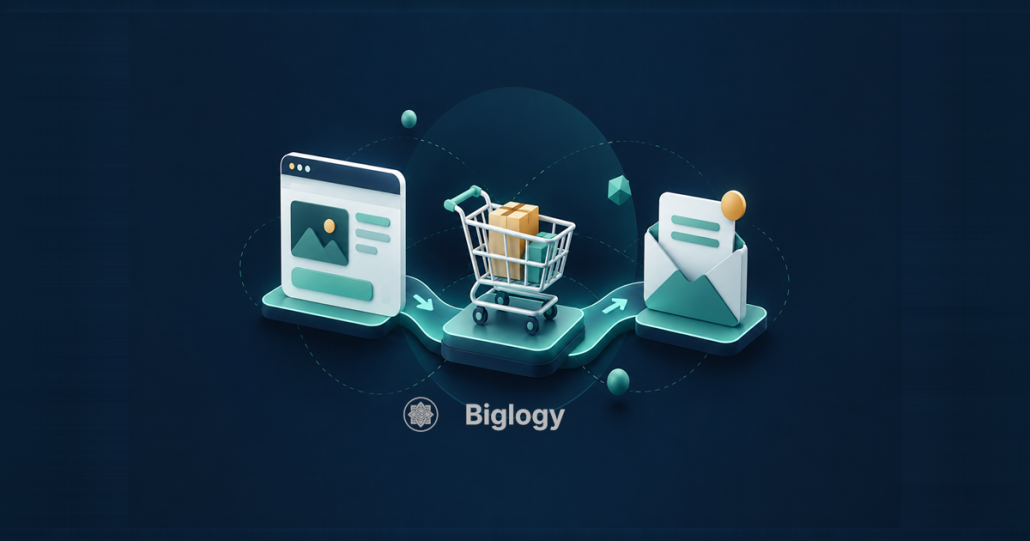
How Should Landing Pages, Checkout, and Email Workflows Be Considered Together?
Short Answer
Landing pages, checkout, and email workflows should not be treated as separate tools. They should be designed as one connected decision, purchase, and delivery system.
The landing page helps a person understand the offer. Checkout turns that decision into a secure action. The email workflow manages follow-up, delivery, onboarding, and post-purchase communication.
From Biglogy’s perspective, this trio is not just a way to increase sales. When designed well, it clarifies expectations, reduces friction, builds trust, and helps the buyer actually receive the promised value.
Who Is This Guide For?
This guide is for:
- creators selling digital products
- small business owners
- people selling courses, memberships, PDFs, consulting, or coaching
- teams building a sales funnel
- people who have a landing page but feel that the post-sale flow is disorganized
- businesses trying to connect checkout, email, delivery, and onboarding into one consistent system
- people who want to design a sales system around trust and decision support rather than pressure
The Basic Logic: Not Three Separate Parts, but One Journey
In a healthy sales system, the user usually moves through a sequence like this:
- A problem or need becomes visible.
- The person evaluates the offer on the landing page.
- The person completes the decision at checkout.
- The person receives confirmation, access, and next steps through email.
- Through onboarding, the person begins to experience value.
- If needed, the person later enters support, update, renewal, or repeat-purchase flows.
That is why landing page, checkout, and email workflow should not be designed in isolation.
For example:
- if the landing page promises one thing but checkout shows a different package, trust weakens
- if no confirmation email arrives after purchase, the buyer becomes uncertain
- if the email does not explain how to access or use the product, support burden rises
- if return or cancellation terms are hard to find, the decision becomes harder
- if unexpected costs appear at checkout, the purchase flow may break down
Biglogy’s core principle is this:
The sales process does not end at the moment of purchase. It is complete only when the buyer receives the promised value clearly and reliably.
What Is the Purpose of a Landing Page?
The purpose of a landing page is not to pressure the user. It is to help the right person understand whether the offer is right.
A strong landing page answers questions such as:
- Who is this for?
- What problem does it solve?
- What exactly is included?
- What is the scope?
- Who is it not for?
- What can the buyer reasonably expect?
- What is the price?
- What are the risks or limitations?
- What are the return or cancellation terms?
- What happens after purchase?
- What trust signals are available?
- What is the next step?
The landing page is where the promise is made. Checkout and email must remain consistent with that promise.
What Is the Purpose of Checkout?
Checkout is not only a payment screen. It is the part of the experience where a decision becomes an action.
A good checkout should:
- show the product or package name clearly
- show price clearly
- make taxes, fees, or currency differences visible when relevant
- support a sense of payment clarity and security
- keep billing and information fields as simple as possible
- make coupon, payment, and billing logic understandable
- keep return and cancellation information accessible
- explain what happens after purchase
- avoid unnecessary friction
- work well on mobile
Checkout should not create confusion at the exact moment the buyer is ready.
What Is the Purpose of the Email Workflow?
The email workflow protects continuity before and after the sale.
It usually serves three roles:
- Follow-up: supports people who are interested but have not yet acted
- Delivery: confirms the purchase and provides access
- Onboarding: helps the customer use the product or service successfully
A useful email workflow may include:
- a welcome email after form submission
- lead magnet delivery
- pre-sale nurture emails
- cart or incomplete-checkout reminders
- purchase confirmation
- access or delivery email
- first-step guidance
- usage reminders
- support and FAQ email
- feedback request
- update or new-version notice
Without a clear email workflow, many digital sales systems create a feeling of silence after purchase, which can damage trust.
Collaboration Map for the Trio
| Stage | Landing Page | Checkout | Email Workflow |
|---|---|---|---|
| Awareness | Explains the problem and the offer | Not active yet | Lead magnet or newsletter entry can begin |
| Evaluation | Presents scope, benefits, trust, and FAQs | May preview package or pricing logic | Provides nurture and decision support |
| Decision | Moves the person toward action | Collects payment and required details | Can support reminders or recovery flows |
| Purchase | Sets the original promise | Completes the transaction | Sends confirmation and access |
| Onboarding | Can point to next-step expectations | Holds purchase details | Guides setup, usage, and first wins |
| Ongoing relationship | May point to additional resources | Supports billing or subscription logic | Handles updates, support, and feedback |
How Should the System Architecture Be Set Up?
A simple digital product or service sales system may include:
- Traffic source: blog, social media, ads, newsletter, or referrals
- Landing page: the decision page where the offer is explained
- Lead capture: form, waitlist, lead magnet, or application
- Email nurture: pre-purchase follow-up and clarification
- Checkout: payment, application, or reservation step
- Post-purchase email: confirmation and access
- Onboarding: first-use guidance, getting-started material, support path
- CRM or tracking layer: visibility into lead, customer, payment, and support status
- Analytics: conversion, drop-off, email, and revenue visibility
- Feedback loop: customer experience, testimonials, issues, and improvements
At the beginning, this architecture should stay simple. More complex automations can be added after the basic system is reliable.
Questions to Answer Before Setting Up the Workflow
For the Landing Page
- Can the offer be explained in one sentence?
- Is it clear who the offer is for?
- Is it clear who it is not for?
- Are price and scope understandable?
- Are trust signals visible?
- Are return or cancellation terms visible?
- Are key questions answered?
- Is the call to action clear?
For Checkout
- Is the product name consistent with the landing page?
- Is the price consistent?
- Are any extra fees, taxes, or billing details clear?
- Is it obvious what happens after payment?
- Are there unnecessary fields?
- Does mobile checkout work smoothly?
- Does the correct confirmation page appear after payment?
- Does the buyer know what to do if payment fails?
For the Email Workflow
- Is purchase confirmation sent promptly?
- Is product access explained clearly?
- Is there a first-step email?
- Is the support channel clear?
- Does the customer understand the order of next steps?
- Are automations segmented correctly?
- Are unsubscribe and consent flows handled properly?
- Are the emails consistent with the promises made on the landing page?
Why Is Promise Consistency Important?
One of the fastest ways to weaken trust is inconsistency across the journey.
| Inconsistency | Likely User Reaction |
|---|---|
| Different price on the landing page and at checkout | Loss of trust |
| “Instant access” on the page but delayed delivery in email | Confusion or support requests |
| Broad scope on the page but narrow scope later | Dissatisfaction |
| Easy cancellation promised publicly but difficult cancellation in practice | Reputation risk |
| Support promised on the page but unclear after purchase | Uncertainty |
From Biglogy’s perspective, the same promise should be checked in three places:
- landing page
- checkout
- post-purchase email
The buyer should not experience three different realities across those stages.
Minimum Setup Example
Here is a simple early-stage setup for a small digital product system.
1. Landing Page
Possible sections:
- short problem definition
- who the product is for
- what the product includes
- likely benefit or outcome
- who it is not for
- price
- FAQ
- support, return, or cancellation information
- a clear buy-now or apply-now CTA
2. Checkout
Possible elements:
- name
- only the necessary billing fields
- payment method
- coupon field if relevant
- visible price summary
- links to terms and privacy information
3. Email Workflow
A simple starting sequence may include:
- purchase confirmation and access
- first-step or getting-started email
- common mistakes or best-practice guidance
- support and FAQ email
- feedback request
For many small businesses, that is enough to start without overbuilding.
Illustrative Workflow for a Digital Product
The exact timing depends on the product, delivery model, and customer expectations. A simple example might look like this:
| Illustrative Timing | Purpose | |
|---|---|---|
| Immediately after purchase | Purchase confirmation and access | Remove uncertainty |
| Shortly after purchase | Getting-started guide | Help the customer begin |
| After initial use | Best-practice tips | Support early value |
| After common early questions appear | FAQ or support guidance | Reduce avoidable support friction |
| After the customer has had time to use the product | Feedback request | Learn from the experience |
| Later, if relevant | Support content or next-step resource | Support continuity |
Any upsell or next-step email should come only after the first value has been delivered clearly.
Illustrative Workflow for B2B Services
| Stage | System | Goal |
|---|---|---|
| Landing page | Service scope and fit | Attract the right leads |
| Application form | Need and context capture | Understand lead quality |
| Email 1 | Application received | Set expectations |
| CRM task | Sales follow-up planning | Do not lose the lead |
| Email 2 | Pre-meeting preparation | Improve the quality of the meeting |
| Offer or proposal | Scope and price | Support the final decision |
| Email 3 | Post-proposal follow-up | Maintain decision support |
| Onboarding | Initial documents and kickoff | Start delivery clearly |
In B2B services, the checkout step may be replaced by an application, proposal, or contract flow. Even then, the follow-up and email system remains essential.
Common Mistakes
1. Treating the landing page as persuasion and checkout as a technical afterthought
Checkout is part of the trust experience, not a separate technical detail.
2. Neglecting the post-purchase email
After payment, the first question is often “What happens now?”
3. Failing to repeat the core promise after purchase
The buyer should clearly see what was purchased and how to start using it.
4. Introducing surprise costs at checkout
If taxes, fees, shipping, or billing details appear too late, trust suffers.
5. Putting everything into one email
Delivery, onboarding, support, and feedback often work better when they are structured clearly.
6. Failing to test automation
Broken links, missing access, or wrong emails damage confidence quickly.
7. Not segmenting the audience well
People should not receive messages that conflict with their actual stage.
8. Hiding return or cancellation information
Transparent terms build trust. Hidden terms create long-term reputation problems.
Metrics to Track
| Area | Metric | What It May Show |
|---|---|---|
| Landing page | Visit → CTA click | Interest in the offer |
| Landing page | Scroll or section interaction | Content engagement |
| Checkout | Checkout start → payment completion | Purchase friction |
| Checkout | Abandonment pattern | Trust, price, or technical issues |
| Confirmation email delivery | Delivery reliability | |
| Open and click behavior | Email clarity and relevance | |
| Onboarding | First-step completion | Early product value |
| Support | Early support requests | Buyer uncertainty |
| Refund or cancellation | Refund or churn pattern | Promise-to-product alignment |
| Revenue | Conversion and repeat purchase | Business outcome |
Sales are not the only signal that matters. It is equally important to understand whether the buyer actually receives value.
Questions to Ask When Choosing a Tool
| Question | Why Is It Important? |
|---|---|
| Are the landing page and checkout on the same system? | Supports experience and data consistency |
| Is email automation integrated? | Supports delivery and onboarding |
| Is there a CRM connection? | Supports lead and customer tracking |
| Can segmentation be managed well? | Helps separate buyers, leads, and other audiences |
| Is there webhook or integration support? | Helps connect systems when needed |
| Is the payment provider reliable? | Supports checkout confidence |
| Does it support tax and invoicing needs? | Supports operations |
| Can it handle subscriptions and cancellations clearly? | Important for recurring models |
| Is analytics visibility good enough? | Supports funnel improvement |
| Can data be exported? | Reduces platform lock-in risk |
| Does it support privacy and consent expectations? | Important for GDPR or comparable local laws such as Turkey’s KVKK |
The Biglogy Perspective
For Biglogy, landing page, checkout, and email workflow should answer the following questions together:
- What is the user deciding?
- What information is needed to make that decision?
- Is the purchase experience clear and trustworthy?
- Does the value journey actually begin after the purchase?
- Is what was promised really being delivered?
- Does the system rely on transparency rather than pressure?
Biglogy’s approach is this:
A good sales system does not stop at getting someone to checkout. It continues until the buyer receives the right value with clarity and confidence.
Conclusion
Landing page, checkout, and email workflow are not isolated components. They are connected stages in the same customer journey.
A strong system usually works in this order:
- the landing page clarifies the offer and sets expectations
- checkout completes the decision clearly and securely
- the email workflow confirms, delivers, onboards, and follows up
- CRM and analytics make the system measurable
- support and feedback improve the experience over time
When these elements are designed separately, the system becomes fragmented and fragile. When they are designed together, the result is a clearer experience for the buyer and a more reliable sales architecture for the business.
FAQ
Why should landing page, checkout, and email workflow be considered together?
Because the buyer experiences them as one journey. If the promise changes between those stages, trust weakens.
What is the main purpose of a landing page?
To clearly explain the offer, audience, scope, price, trust signals, and next step so the right person can decide more confidently.
Is checkout only a payment page?
No. It is a trust-sensitive part of the user experience where the person completes the decision.
What should the first post-purchase email include?
It should clearly confirm the purchase, explain access, outline next steps, and provide support information if needed.
Can a sales system work without an email workflow?
Sometimes, but for digital products, courses, memberships, and many service offers, the absence of email often weakens delivery, onboarding, and follow-up.
Why does checkout abandonment happen?
Common reasons include unclear pricing, unexpected costs, technical friction, weak trust signals, too many fields, or uncertainty about what happens after payment.
Should return policies appear on the landing page?
Yes. Clear return and cancellation information usually reduces uncertainty and supports trust.
How does Biglogy evaluate this system?
Biglogy treats it as a trust and delivery architecture, not a pressure mechanism. The goal is to help the right person decide clearly, buy with confidence, and receive value properly.
Related posts:
 How to Set Up a Checkout, Email, and Delivery System for Digital Product Sales?
 Checklist of Things You Need to Prepare Before Selling Your First Digital Product
 Complete Comprehensive Amazon Glossary: 230+ Essential Terms and Acronyms You Must Know
 Tax, Payment, and Global Sales Questions for Digital Product Sales


Trackbacks & Pingbacks
[…] program inside the same product (see our guide on digital product checkout and email delivery and landing page checkout flows). For standalone newsletter needs, explore GetResponse vs […]
[…] email, refunds, and support. Biglogy’s digital product checkout and email delivery guide and landing-page checkout flow provide useful […]
[…] For a thorough analysis of how to structure conversion-focused lead generation and transactional email flows, consult Biglogy’s architectural guide on Landing Page, Checkout, and Email Flow Architecture. […]
[…] map the entire process before choosing a tool. The page builder is only one component. Biglogy’s landing-page, checkout, and email-flow guide provides a useful planning […]
Leave a Reply
Want to join the discussion?Feel free to contribute!