

GetResponse vs Mailchimp for Creators: 2026 Email Automation and Pricing Comparison
Primary keyword: GetResponse vs Mailchimp Research updated: November 11, 2026
Editorial disclosure: This comparison is based on official vendor documentation and desk research, not long-term hands-on testing. No affiliate tracking links are included. Prices and plan limits can change, so confirm the checkout page before purchasing.
GetResponse and Mailchimp can both collect subscribers, send newsletters, build landing pages, and automate follow-up. Creators evaluating modern newsletter platforms can also review our in-depth GetResponse review, our Kit (ConvertKit) review, or compare all-in-one alternatives like systeme.io vs ClickFunnels. The meaningful question is not which platform is universally better. It is whether you need a connected creator funnel or a familiar email-marketing system integrated with an existing commerce stack.
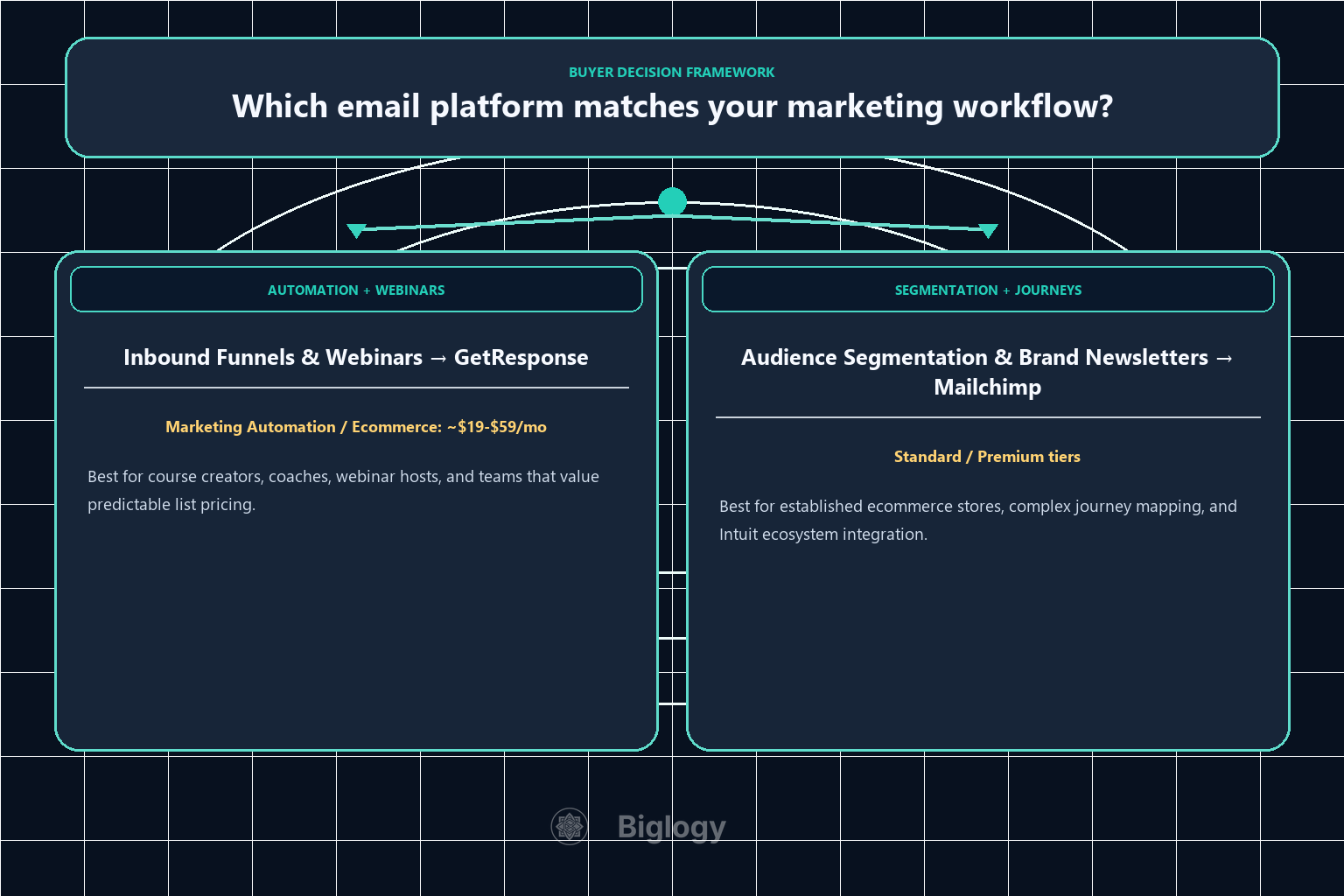
For creators selling courses, webinars, consulting, or digital products, GetResponse is usually the stronger all-in-one choice. Its paid plans combine email with landing pages, automation, funnels, and—on the Creator plan—webinars and course tools.
For a small business that mainly sends campaigns and already uses Shopify, WooCommerce, Square, Wix, or another common integration, Mailchimp remains a credible choice. Its entry experience is straightforward, although list accounting and send limits need close attention.
> Quick verdict: Choose GetResponse when automation, landing pages, funnels, webinars, or creator products form one connected journey. Choose Mailchimp when straightforward campaigns, a familiar workflow, and commerce integrations matter more than operating the whole funnel inside one platform.
GetResponse vs Mailchimp at a glance
| Decision factor | GetResponse | Mailchimp |
|---|---|---|
| Best fit | Creators, educators, consultants, and funnel-led businesses | Small businesses, newsletter senders, and commerce teams |
| Free plan | Up to 500 contacts; premium features are trial-limited | Up to 250 contacts and 500 monthly sends |
| Paid entry | Starts at $19/month for 1,000 subscribers on monthly billing | Essentials begins at 500 contacts; price varies by list size, region, and billing term |
| Automation | One custom workflow on Starter; unlimited workflows on Marketer and Creator | Automation depth and allowances increase by plan |
| Landing pages | Included across current paid plans | Landing pages and forms available, including on Free |
| Funnels and webinars | Sales funnels on Marketer; webinars on Creator | Webinars normally require another platform |
| Ecommerce | Integrations and eligible-plan cart-recovery and revenue tools | Broad commerce integration directory, including Shopify and WooCommerce |
| Contact-cost risk | Price rises with list size | Subscribed, unsubscribed, and non-subscribed contacts can count toward billing |
The free-plan limits were checked against the official GetResponse Free page and Mailchimp plan documentation on November 11, 2026.
How the platforms differ
GetResponse is increasingly a creator and marketing platform rather than only an email service. Its current product structure connects newsletters, forms, landing pages, automation, ecommerce functions, sales funnels, webinars, courses, and premium newsletters.
That breadth is useful when one subscriber may move from a lead magnet to a webinar, then into a sales sequence and paid course.
Mailchimp is centered on audience management, campaigns, automation, and connected commerce. Its integrations include Shopify, WooCommerce, Square, Wix, Squarespace, Stripe, and other widely used systems. A store that already relies on those platforms may prefer to keep the storefront as its system of record and use Mailchimp for customer communication.
GetResponse can therefore reduce the number of tools in a creator funnel. Mailchimp can fit neatly into an established technology stack. Consolidation reduces handoffs; a modular stack allows each specialist tool to do one job.
Email builders and automation
Both products provide visual email creation, templates, segmentation, forms, and automated follow-up. The difference becomes clearer when a sequence branches according to subscriber behavior.
A creator workflow might look like this:
- A visitor downloads a lead magnet.
- The platform applies a tag and starts a welcome series.
- Clicking the course page moves the subscriber into a higher-intent segment.
- Registration triggers webinar reminders.
- Attendance or non-attendance changes the follow-up.
- A purchase ends the sales sequence and starts onboarding.
GetResponse is designed to keep more of that journey inside one product. Its current Starter plan includes one custom automation workflow. Marketer adds unlimited workflows, advanced segmentation, abandoned-cart recovery, and sales funnels. Creator includes those capabilities plus webinars, course creation, and premium newsletter subscriptions. GetResponse’s current plan comparison shows which capabilities belong to each tier.
Mailchimp can handle welcome sequences, behavioral triggers, segmentation, and commerce-related journeys, but capabilities vary by plan. It is a practical fit when a business mainly needs campaign email and a manageable number of automations around a connected store.
Before subscribing, reproduce your real workflow on the plan comparison page. Do not assume that a feature shown in a demonstration is included in every tier.
Landing pages and conversion tools
Both platforms can publish signup pages and forms.
GetResponse has the stronger strategic fit when the landing page is one stage in a larger funnel involving automation, a webinar, a course, or a sales sequence.
Mailchimp is sufficient when a page mainly captures newsletter signups, promotes a campaign, or passes leads into an existing commerce system.
If you are constructing a checkout-to-email journey, map the entire process before choosing a tool. The page builder is only one component. Biglogy’s landing-page, checkout, and email-flow guide provides a useful planning sequence.
2026 pricing and list-scaling traps
Pricing is where old GetResponse vs Mailchimp articles become misleading fastest. The cheapest displayed plan is not necessarily the cheapest plan that supports the required workflow.
GetResponse pricing
GetResponse currently advertises a Free account with space for up to 500 contacts. Its Free documentation says users can send up to 2,500 newsletters per month, while premium functions are available during the first 14 days and then become restricted.
The official pricing FAQ states that monthly paid plans begin at $19 per month for 1,000 subscribers with unlimited messages. It also advertises an 18% discount for a 12-month plan.
The current plan family is:
- Starter: Email marketing, landing pages, forms, and one custom automation workflow.
- Marketer: Unlimited automation workflows, advanced segmentation, abandoned-cart recovery, sales funnels, promo codes, and revenue reports.
- Creator: Marketer features plus webinars, course creation, student capacity, and premium newsletter subscriptions.
- Enterprise: Custom pricing and higher-end sending, support, security, and channel capabilities.
Do not select Marketer or Creator because its name sounds appropriate. List the functions you will actually use, then compare the incremental subscription cost with the separate tools that plan could replace.
Mailchimp pricing
Mailchimp’s current Free plan is limited to 250 contacts and 500 sends per month, with a daily limit of 250.
Essentials begins at 500 contacts, but its price changes with contact count, billing period, promotion, and region. The pricing page also offers Standard and Premium tiers and warns that overages can apply when contact or send limits are exceeded. Mailchimp’s official pricing page displays the applicable regional quotation.
That makes a single headline price a weak basis for comparison. Model at least three list sizes—today, six months from now, and twelve months from now—and include the real sending frequency.
Mailchimp’s contact definitions also matter. Its official contact documentation says:
- Subscribed contacts count toward the monthly contact limit.
- Unsubscribed contacts count.
- Non-subscribed contacts count.
- Cleaned and pending contacts do not count.
- Archived contacts do not count while they remain archived.
This creates a list-hygiene obligation. Review inactive, unsubscribed, and duplicated records before they push the account into a higher billing tier.
Archiving preserves data but prevents marketing communication. Deletion has different privacy and recovery consequences. Use Mailchimp’s archiving guidance instead of applying a bulk-cleanup rule blindly.
For a reusable evaluation method, see Biglogy’s SaaS pricing and plan-limit verification guide.
The obsolete “2,000 free Mailchimp contacts” claim
Many older comparisons still say Mailchimp’s Free plan supports 2,000 contacts and 10,000 monthly sends. That information is obsolete.
Even the 500-contact figure found in newer articles is no longer current. On November 11, 2026, Mailchimp’s official pricing and help documentation stated 250 contacts and 500 monthly sends for its Free plan.
This is why a commercial comparison should state its verification date and link to the vendor’s current page. A historically accurate price can become a poor recommendation without a single sentence of the old article changing.
Comparative evaluation matrix
| Category | Better default | Reason |
|---|---|---|
| Low-volume free use | GetResponse | Its published Free contact allowance is higher, although premium features become restricted |
| Creator automation | GetResponse | Funnels, automation, webinars, courses, and newsletters can live in one product |
| Simple newsletter campaigns | Mailchimp | Its audience-and-campaign workflow is adequate for straightforward sending |
| Webinar-led sales | GetResponse | Webinars are a native Creator-plan capability |
| Existing commerce stack | Mailchimp | Its integration directory covers widely used store and business platforms |
| Contact-cost clarity | GetResponse, narrowly | Mailchimp’s treatment of unsubscribed and non-subscribed contacts requires active management |
| Advanced ecommerce lifecycle marketing | Neither automatically | Specialist products such as Klaviyo or Omnisend should also be evaluated |
| Ease of use | Depends on scope | Mailchimp may be simpler for campaigns; GetResponse may simplify the total tool stack |
No public feature table proves deliverability, conversion rate, or support quality for a particular account. Those outcomes also depend on consent, sender reputation, authentication, content, traffic, offer quality, and operational discipline.
Two practical creator scenarios
Scenario 1: Solo course creator with a webinar funnel
Suppose a creator has 1,000 subscribers, runs a monthly webinar, sells a course, and needs separate follow-up for attendees and no-shows.
GetResponse is the more coherent candidate because webinar registration, reminders, automation, landing pages, and course delivery can be evaluated in one environment.
The decision should not be based on the $19 entry price because Starter does not include the complete Creator feature set. Instead, compare the current Creator quotation with the combined cost of:
- An email platform
- A webinar service
- A landing-page builder
- A course platform
- Any integration or automation service
The decisive test is operational: can one real lead move from signup through reminders, attendance branching, payment, and course access without manual repair?
Scenario 2: Boutique Shopify store sending campaigns
Suppose a small store already operates on Shopify, has a compact catalog, and mainly needs product announcements, customer segments, and a few purchase-related journeys.
Mailchimp deserves consideration because Shopify is a prominent integration and the business may not need native webinars, courses, or a creator funnel.
Standard may be more suitable than Essentials if richer automation or optimization is necessary, but the required customer journey should determine the plan—not the lowest displayed price.
The store should forecast contacts, sends, and potential overages. It should also establish a recurring process for reviewing inactive records and archiving them when appropriate.
For post-purchase operations, Biglogy’s digital-product checkout and email-delivery guide outlines the handoffs worth testing.
Affiliate terms and commercial governance
GetResponse’s official affiliate page currently describes a tiered PartnerStack program.
All partners start at 40% commission for 12 months. The page lists 50% and 60% tiers after specified sales thresholds. These current terms replace older claims about a default 33% recurring commission or a $100 CPA option. GetResponse affiliate-program terms
Those public terms do not prove that Biglogy is approved, that a particular referral qualifies, or that the terms will remain unchanged. This article therefore includes no affiliate tracking link and makes no earnings claim.
Mailchimp referral credits, agency partner benefits, and a public affiliate commission are different commercial arrangements. Mailchimp should not be presented as having a normal self-service affiliate program without current, account-specific confirmation.
If affiliate links are added later, the release should use an owner-verified destination, clear disclosure, and rel="sponsored". The editorial recommendation should remain unchanged whether or not a commission is available.
Frequently asked questions
Is GetResponse better than Mailchimp?
GetResponse is better for many creators who want automation, landing pages, funnels, webinars, and course tools in one platform.
Mailchimp can be better for straightforward campaigns and businesses already relying on its commerce integrations. The answer depends on the complete workflow rather than one feature.
Which has the better free plan?
GetResponse currently publishes a 500-contact Free allowance, while Mailchimp Free is limited to 250 contacts and 500 monthly sends.
GetResponse’s premium capabilities are trial-limited, so compare what remains available after the first 14 days.
Which is cheaper as a list grows?
There is no universal winner.
GetResponse pricing rises with list size and plan capability. Mailchimp pricing changes with contacts, sends, billing period, and region. Unsubscribed and non-subscribed Mailchimp contacts can count until archived.
Calculate the cost for your expected twelve-month list rather than only today’s list.
Is Mailchimp still free for 2,000 contacts?
No. That is a legacy limit. Mailchimp’s official November 2026 documentation lists 250 contacts and 500 monthly sends on Free.
Which is better for ecommerce?
Mailchimp is a strong candidate for a store already using Shopify or WooCommerce.
GetResponse is attractive when ecommerce messages must connect with broader funnels, landing pages, webinars, or creator products. Stores requiring advanced lifecycle segmentation should also compare Klaviyo and Omnisend.
Final decision framework
Choose GetResponse when most of these statements are true:
- You want email, landing pages, and automation in one product.
- Webinars, courses, or premium newsletters are part of the business.
- You are building a lead-magnet-to-sale funnel rather than only sending campaigns.
- Consolidating several subscriptions could offset the higher-plan cost.
- Your team is willing to learn a broader platform.
Choose Mailchimp when most of these statements are true:
- Your main requirement is newsletters and campaign automation.
- Your store or website uses a well-supported Mailchimp integration.
- Your team already knows Mailchimp and migration would create unnecessary disruption.
- You have a clear process for contact hygiene and tier forecasting.
- Native webinars, courses, and creator funnels are not required.
Before paying annually, build one representative workflow in a trial or free account. Test signup, consent, tagging, segmentation, delivery, checkout handoff, unsubscribing, reporting, and export. Confirm the quotation at your expected contact count and document which capabilities disappear if you downgrade.
For creator-led businesses, GetResponse is the stronger default because it can connect more of the customer journey without additional tools.
For campaign-led small businesses with an established commerce stack, Mailchimp remains a reasonable choice—provided its contact accounting and send limits are understood before the bill grows.
ARTICLE_ID=RREV-006 | EXACT_WP_ID=UNKNOWN | OPERATION=OFFLINE_DRAFT SOURCE_QA=PASS_CURRENT_OFFICIAL_PAGES | INDEPENDENT_QA=NOT_RUN SEO=DRAFT_READY | MEDIA=HOLD | CTA=HOLD_UNVERIFIED LIVE_MUTATIONS=NONE NEXT_SINGLE_ACTION=ENABLE_LOCAL_WRITE_ACCESS_AND_SAVE canonical_synthesis.md
Related posts:
 GetResponse Review for Digital Product Creators: Email, Forms, and Automation
 systeme.io vs ClickFunnels for Funnel Creators: 2026 Comparison, Pricing, and Migration Reality
 Kit Review for Creators: 2026 Email Platform Breakdown, Pricing, and Automation
 systeme.io Review for Digital Product Sellers: 2026 Funnels, Email, and Course Hosting Reality


Trackbacks & Pingbacks
[…] Systeme.io is designed to remove the need to assemble several tools before a creator can launch. A funnel can add a contact to an email sequence, process a purchase, deliver a course and support an affiliate program inside the same product (see our guide on digital product checkout and email delivery and landing page checkout flows). For standalone newsletter needs, explore GetResponse vs Mailchimp. […]
[…] work. Businesses evaluating traditional marketing platforms can compare this approach in our GetResponse vs Mailchimp comparison, while course creators can explore all-in-one platforms like systeme.io vs Kajabi. Its strongest […]
Leave a Reply
Want to join the discussion?Feel free to contribute!