
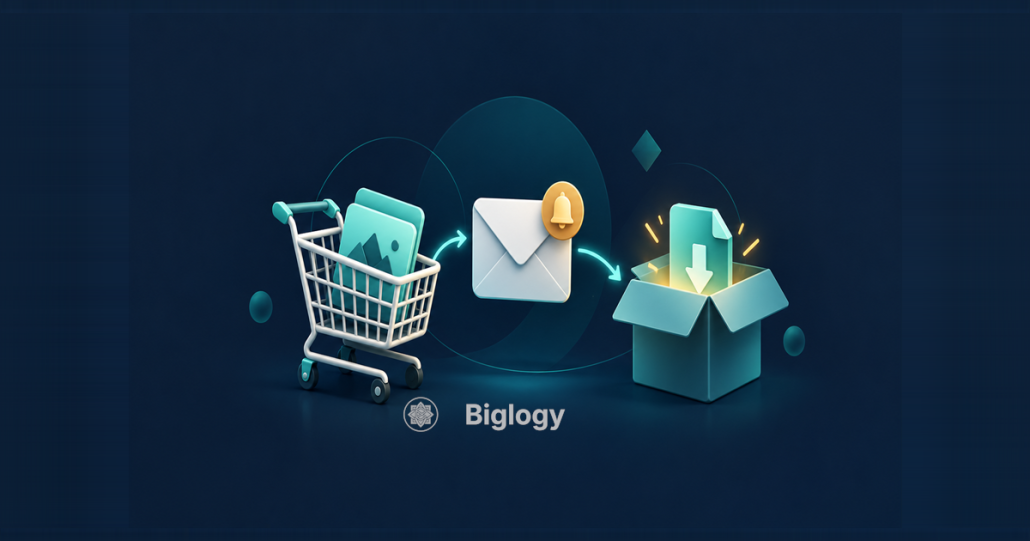
How to Set Up a Checkout, Email, and Delivery System for Digital Product Sales?
Short Answer
The checkout, email, and delivery system for digital product sales is the infrastructure that manages the entire post-sale experience— from the customer making a payment to securely accessing the product, receiving notifications, and going through the support and return processes. This system is not merely about “creating a payment link.”
The correct structure should be set up in the following order: first, the product and offer are finalized; then, the checkout flow is designed; and finally, automated email notifications, product delivery, access control, invoicing/tax, returns, support, and tracking systems are integrated. From Biglogy’s perspective, a good sales infrastructure does more than just offer customers the opportunity to make a purchase; it reduces post-purchase uncertainty and maintains trust.
Who Is This Guide For?
This guide was prepared for the following people:
- Creators who want to sell digital products
- Producers selling PDFs, templates, online courses, memberships, coaching packages, or digital files
- Those who want to set up a sales infrastructure using tools like Gumroad, Lemon Squeezy, Shopify, WooCommerce, Podia, Teachable, Stripe, iyzico, or similar platforms
- Small teams looking to automate post-payment email and product delivery workflows
- Those who want to set up a secure system for refunds, support, invoicing, and customer access
- Those who want to evaluate their sales infrastructure—in the spirit of Biglogy—based on customer experience and trust standards rather than just the tools
The Reader’s Core Problem
Many people starting to sell digital products face the following questions:
- Which payment gateway should I use?
- What should be on the checkout page?
- How will the file be sent to the buyer?
- Is email automation necessary?
- Is sending a PDF via a Google Drive link enough?
- How will access to the course be granted?
- How will the invoicing and tax process be managed?
- Will access be revoked in the event of a refund?
- Where will customers get support after purchasing?
- What happens if the delivery email doesn’t go through?
These questions may seem technical, but they actually relate to customer trust.
If the post-sale process is weak, the following problems may arise:
- The customer pays but cannot access the product.
- The delivery email ends up in the spam folder.
- The download link doesn’t work.
- The access period remains unclear.
- Access isn’t revoked after a return.
- The invoice or receipt process gets mixed up.
- The customer opens a support ticket because they don’t know what to do.
- The creator takes on the operational burden of manual delivery.
- Trust is lost after the purchase.
Biglogy’s guiding principle is this:
The sale of a digital product isn’t complete when payment is received; it’s only complete when the customer receives the product without any issues and knows what to do with it.
Clarify This First
Before setting up the checkout, email, and delivery systems, the following decisions must be made:
- What are you selling?
- Is the product a one-time purchase or a subscription?
- Is the product a file, access, a course, or a service?
- What exactly will the customer receive after making a purchase?
- Will delivery be automated or manual?
- Is access unlimited or time-limited?
- Will updates be provided?
- If there is a refund, how will access be handled?
- Who will handle the invoicing and tax process?
- What will the support channel be?
- What emails will the customer receive after purchase?
It’s too early to choose a tool until these decisions are finalized.
Basic Concepts
Checkout
The page or flow where the customer enters payment information to purchase a product, reviews the order summary, and finalizes the purchase.
Email Automation
A system that automatically sends emails to customers during the purchase, payment confirmation, product delivery, onboarding, reminder, update, return, and support processes.
Delivery System
The process that manages how the purchased digital product is delivered to the customer. This may include a file download, access link, course account, membership area, license key, or appointment link.
Access Control
A system that determines which products a customer can access, for how long, and based on their payment status.
Transactional Email
These are transaction-based emails, such as purchase confirmations, payment confirmations, password resets, access links, or invoices.
Onboarding Email
The initial guidance email explaining how the customer can use the product they purchased.
Webhook / Integration
A connection that allows an event occurring in one system to trigger another system. For example, granting access to a course when a payment is successful.
The 7 Layers of Sales Infrastructure
| Layer | What Is It For? | Key Question to Ask | Main Risk |
|---|---|---|---|
| Offer | Clarifies what is being sold | What is the customer getting? | Uncertain Expectations |
| Checkout | Processes payment | Is the purchase secure and transparent? | Abandoned cart |
| Notifies | When will the customer receive which information? | Delivery uncertainty | |
| Delivery | Provides access to the product | How will the product be delivered? | Access issue |
| Invoice / tax | Manages the legal process | How will the document be created? | Operational and compliance risk |
| Support | Resolves issues | Where does a customer go if they need help? | Loss of trust |
| Returns / Access | Manages risks | What happens if there’s a return? | Access and registration confusion |
Delivery Model by Product Type
| Product Type | Delivery Method | Important Note |
|---|---|---|
| PDF / e-book | Download link or email attachment | Link validity, file access, updates |
| Template | Copy link + usage instructions | Permissions, sample data, setup steps |
| Online course | Account / course access | Login, password, module access |
| Membership | Subscription + member area | Renewal, cancellation, access control |
| Coaching | Payment + appointment + preparation form | No-shows, cancellations, coverage |
| Software / mini-tools | Account, license, activation | License Term, Security, Support |
| Digital package | Zip file / dashboard | File structure, order of use |
What Should Be on the Checkout Page?
The checkout page is not just a payment form. It is the screen where the customer performs their final security check.
The following information should be visible on the checkout page:
- Product name
- Short value proposition
- Product description or summary of what’s included
- Price
- Currency
- Tax / Invoice Information
- Payment method
- Shipping Method
- Access Period
- Link to return/cancellation policy
- Support email or help link
- Secure payment indicator
- Clear explanation if there is a coupon field
- Renewal information (if a subscription)
- What happens after purchase
An unclear checkout process increases the customer’s anxiety about “what happens after I pay?”
Decision Matrix for Checkout
| Situation | Checkout Priorities | Why? | Control |
|---|---|---|---|
| One-time PDF | Simple payment + file delivery | Quick purchase required | Do the email and link work? |
| Online course | Account creation + access | The login process is critical | Does the user account open automatically? |
| Membership | Subscription terms | Renewal and cancellation must be clear | Is recurring billing information visible? |
| Coaching | Payment + Appointment | Time reservation required | Is there a calendar after payment? |
| Premium product | Trust and coverage | High risk perception | Are returns and support available? |
| Global sales | Taxes and currency | Varies by country | Has the tax/invoicing process been verified? |
How Should the Email System Be Set Up?
At least three basic emails are required for digital product sales:
1. Payment Confirmation Email
Notifies the customer that the payment has been successfully received.
Must include:
- Order number
- Product name
- Amount paid
- Payment date
- Invoice/receipt information
- Support link
2. Product Delivery Email
Explains to the customer how to access the product.
Must include:
- Download or access link
- Instructions for use
- Access period
- Instructions on where to obtain a password or account information, if required
- Installation steps
- Support information
3. Onboarding Email
Helps the customer get the most out of the product.
What it should include:
- First-step recommendation
- How to use the product
- Common mistakes
- Related resources
- Support limits
- Call for feedback
Advanced Email Workflow
| When Is It Sent? | Purpose | |
|---|---|---|
| Payment Confirmation | Instant | Trust and Registration |
| Delivery | Instant | Access to the product |
| Onboarding | 5–30 minutes later | Usage guidance |
| Reminder | 1–3 days later | Encourage usage |
| Support / FAQ | 3–5 days later | Reducing issues |
| Feedback | 7–14 days later | Learning and social proof |
| Update announcement | As needed | Preserving product value |
| Upsell / follow-up product | After value delivery | The logical next step |
Email sequences should be designed for customer success, not to push sales.
How Should the Delivery System Be Set Up?
The delivery system must answer the following questions:
- Will the product be delivered automatically?
- Will delivery be via email, through the account, or via the dashboard?
- Will there be a link expiration period?
- Where will the files be hosted?
- What should the customer do if they lose access?
- Will access be revoked after a refund?
- How will updates be distributed?
- Where will the list of purchasers be kept?
- How will a failed delivery be detected?
For simple products, an email link may be sufficient. However, for courses, memberships, licensed products, or premium packages, access control must be taken more seriously.
Integration Workflow Example
A typical digital product sales flow might look like this:
- The customer proceeds from the sales page to checkout.
- At checkout, they see the product, price, delivery, and return information.
- The payment is successful.
- The system sends a payment confirmation email.
- A delivery email is sent automatically.
- Access to the product file, course, or template is granted.
- The customer receives an onboarding email.
- The order is recorded in the CRM or customer list.
- An invoice or receipt is generated.
- The support channel is displayed.
- If necessary, a usage reminder is sent.
- If there is a return, access is revoked and the record is updated.
This workflow can be manual; however, as sales volume increases, the need for automation grows.
Vehicle Categories
| Requirement | Vehicle Category | Selection Criteria |
|---|---|---|
| Checkout | Payment / sales platform | Commission, payment method, UX |
| Transactional + marketing email | Delivery reliability, automation | |
| File delivery | File hosting / product delivery | Link security, access control |
| Course access | LMS / course platform | Login, modules, student tracking |
| Membership | Membership platform | Recurring payments, cancellations, member area |
| Invoicing | Invoicing / accounting tool | Local compliance, automation |
| Support | Helpdesk / Email | Tracking, SLA, logging |
| CRM | Customer registration system | Segment, order history |
| Integration | Zapier, Make, webhook, API | Error tracking, automation |
Returns and Access Management
The return policy must be clear before the sale. However, a return is not just a refund; access management is also required.
Things to check in the event of a return:
- Was the payment refunded?
- Has the invoice/accounting record been updated?
- Has access to the product been revoked?
- Has the file link been deactivated?
- Has the course/membership account been deactivated?
- Was the refund confirmation email sent to the customer?
- Has the CRM record been updated?
- Was the reason for the refund recorded?
If the refund process is handled manually, the risk of errors increases.
How Should the Support System Be Set Up?
In digital product sales, the support channel should be clearly visible.
The support page or email should include the following information:
- Support email address
- Response time
- What issues are covered
- Issues for which support is not provided
- Steps to resolve technical access issues
- Guidance for Refund and Billing Questions
- User guide / FAQ
- How non-urgent requests are handled
Even a low-cost digital product can create a high operational burden if support limits aren’t established.
Security and Privacy Controls
The checkout, email, and delivery systems process customer data. Therefore, security and privacy must not be overlooked.
Items to Check:
- Who processes payment information?
- Is card information stored in your system?
- Is explicit consent required for the email list?
- Where is customer data stored?
- Are file links publicly accessible?
- Is membership/course access password-protected?
- Can user data be deleted?
- Are the Privacy Policy and Terms pages up to date?
- What data do the integration tools access?
In the Biglogy approach, trust is safeguarded not only by the lock icon on the payment screen but also through transparency in data, access, and communication.
Common Mistakes
1. Creating only a payment link
Receiving payments is only one part of the sales infrastructure. Delivery, email, support, and returns are also necessary.
2. Not testing the delivery email
If the email ends up in the spam folder or the link doesn’t work, customer trust drops rapidly.
3. Not explaining what happens after purchase
The customer should know how to access the product before making a payment.
4. Forgetting to restrict access after a return
The return process must be managed in tandem with payment and access.
5. Putting off the invoicing/tax process until later
As sales increase, a manual invoicing process can become an operational burden.
6. Leaving the support channel undefined
If customers don’t know where to turn when they encounter a problem, dissatisfaction will increase.
7. Selling all products using the same delivery model
PDFs, courses, memberships, and coaching should not be managed under the same delivery model.
8. Failing to monitor integration errors
If a webhook or automation fails, payment may be received but delivery may not occur.
The Biglogy Perspective
For Biglogy, the checkout, email, and delivery systems are not just the technical backbone of a sale—they are the operational foundation of customer trust.
When selling a digital product, after the customer makes a payment, they should be able to quickly find answers to the following questions:
- Was my payment processed?
- Where can I access the product?
- What should I do first?
- Who should I contact if I encounter a problem?
- What are the refund or cancellation policies?
- Where is my invoice or receipt?
- How long will my access last?
If these questions aren’t answered, the sales infrastructure is lacking.
Biglogy’s approach is as follows:
A good sales infrastructure is an invisible system that maintains the customer’s trust after payment.
Conclusion
In digital product sales, the checkout, email, and delivery system is a structure that manages the payment, notification, access, support, invoicing, and return processes together.
The correct sequence is as follows:
- The product and offer are clarified.
- Product, price, delivery, and return information are clearly stated during checkout.
- Payment confirmation, delivery, and onboarding emails are prepared.
- A delivery model appropriate for the product type is selected.
- Access control and the post-return access process are planned.
- The invoicing, tax, and support workflow are defined.
- Integrations are tested.
- Then, the product goes live.
The best system is not just one that allows the customer to make a payment; it is one that ensures the customer receives the product securely, quickly, and clearly after payment.
FAQ
What is checkout in digital product sales?
Checkout is the page or process where the customer enters their payment information to purchase a digital product and completes the order. Information about the product, price, delivery, and returns should be clearly displayed at this stage.
What emails should be sent after a purchase?
At least three emails are recommended: payment confirmation, product delivery, and an onboarding email. Depending on the product, reminder, support, feedback, and update emails can also be included.
How is a digital product delivered?
Delivery varies depending on the product type. For PDFs, a download link; for templates, a copy link; for courses, account access; for memberships, a member area; and for coaching, an appointment and preparation form can be used.
Is a payment link alone sufficient?
Generally, no. A payment link only facilitates payment collection. Delivery, email notifications, support, refunds, and access management are also required.
What should be done regarding access to digital products in the event of a refund?
After a refund, the payment record, invoice/accounting information, and product access must all be updated together. For courses, memberships, or licensed products, access must be revoked.
Is email automation required?
A manual process may work for initial sales; however, automation becomes necessary as sales volume increases. In particular, the delivery email and payment confirmation should be automated.
Should return policies be listed on the checkout page?
Yes. Return or cancellation terms must be visible before purchase. This both builds trust and reduces future disputes.
How does Biglogy evaluate sales infrastructure?
Biglogy views the sales infrastructure not merely as a payment processing tool, but as a trust system that manages checkout, email, delivery, support, access, invoicing, and return processes collectively.
Related posts:
 How Should Landing Pages, Checkout, and Email Workflows Be Considered Together?
 Checklist of Things You Need to Prepare Before Selling Your First Digital Product
 Complete Comprehensive Amazon Glossary: 230+ Essential Terms and Acronyms You Must Know
 Tax, Payment, and Global Sales Questions for Digital Product Sales


Trackbacks & Pingbacks
[…] modeling stacks, align the four budget buckets evaluated in our checkout, email, and delivery setup guide and pre-launch sales funnel […]
[…] post-purchase operations, Biglogy’s digital-product checkout and email-delivery guide outlines the handoffs worth […]
[…] the buyer is tagged, where the product is delivered, and how failed payments are handled. See our digital product checkout and email delivery guide for that […]
[…] account creation, lesson access, transactional email, refunds, and support. Biglogy’s digital product checkout and email delivery guide and landing-page checkout flow provide useful […]
[…] checkout and delivery process is still unclear, first map the sequence in Biglogy’s guide to a digital product checkout, email, and delivery system. Email software cannot repair an undefined fulfillment […]
Leave a Reply
Want to join the discussion?Feel free to contribute!