

Kinsta vs WP Engine for WordPress Sites: 2026 Hosting Comparison, Speed, and Pricing
Kinsta and WP Engine solve the same broad problem: they take much of the server maintenance, caching, backups, security tooling, and WordPress operations off your plate. For a deep standalone evaluation of Kinsta, read our Kinsta managed WordPress hosting review. The better choice is not the host with the loudest speed claim. It is the host whose resource model and workflow fit your actual site.
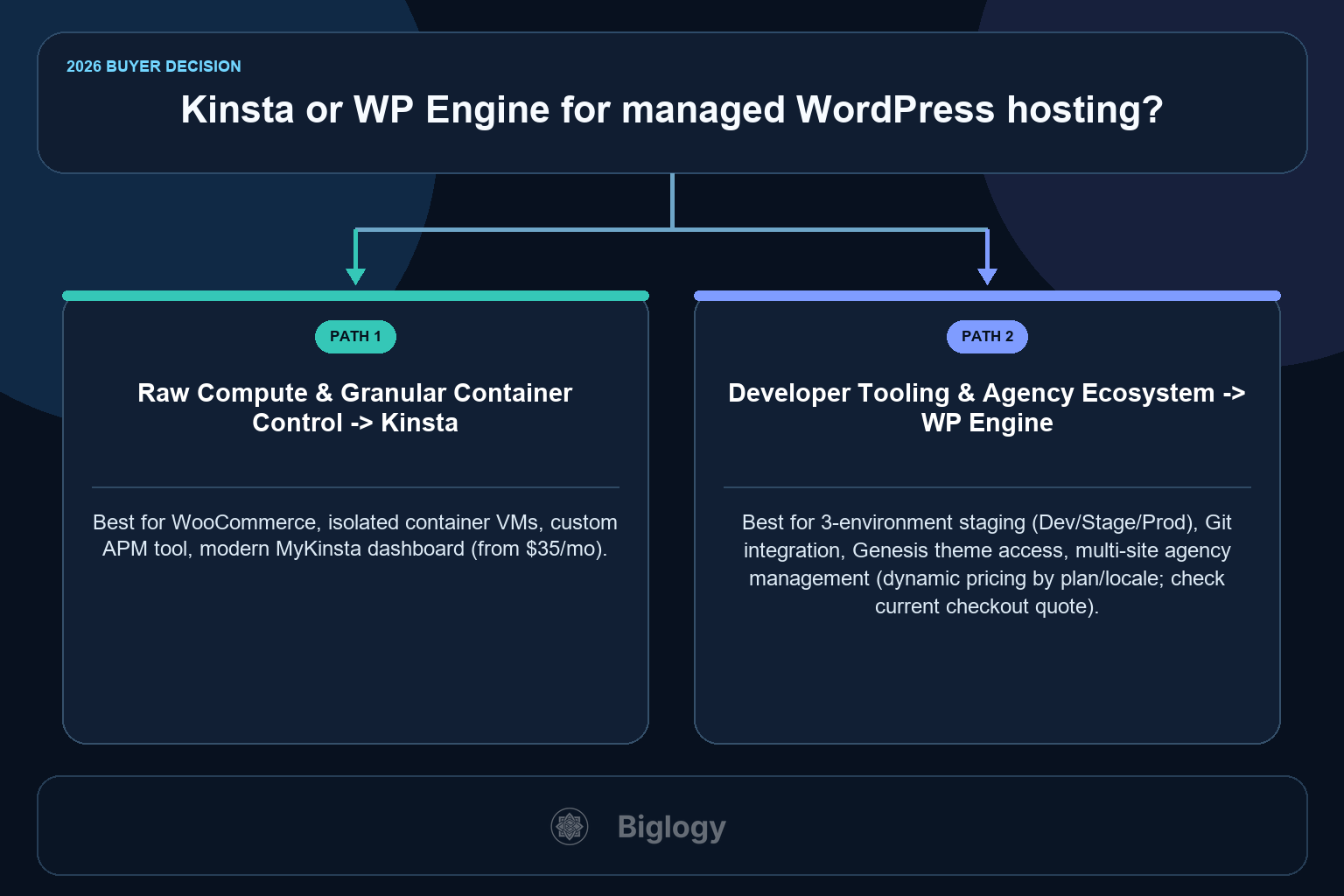
Our verdict: Choose Kinsta for a clean, infrastructure-focused WordPress platform with transparent single-site and multi-site allowances, built-in APM, and a choice between visit- and bandwidth-based plans. For broader WordPress optimization, explore our guides on WordPress plugins for affiliate sites, WordPress site structure, and verifying plan limits. Choose WP Engine when your team values a Production/Staging/Development workflow, 30 days of offsite backup checkpoints, or the included Genesis and StudioPress ecosystem. For either host, test a clone of your own site before treating performance as decided.
This comparison is based on public vendor documentation checked on November 11, 2026. Biglogy did not run a private head-to-head benchmark, so this article does not invent a universal speed winner.
> Commercial disclosure: Biglogy may use affiliate links in commercial content. No Kinsta or WP Engine tracking link has been inserted in this draft because partner status and final destinations have not been verified. Product links below are direct, non-affiliate sources.
Kinsta vs WP Engine at a glance
| Decision factor | Kinsta | WP Engine |
|---|---|---|
| Best fit | Owners and developers who want a focused managed WordPress stack with clearly published resource allowances | Teams and agencies that want structured environments, collaboration workflows, and the Genesis/StudioPress ecosystem |
| Entry packaging | Single-site, multi-site, agency, and enterprise plans; visit- or bandwidth-based options | Configurable Essential, Business, and Enterprise packages |
| Environments | One standard staging environment per WordPress install; premium staging is optional | Up to one Production, one Staging, and one Development environment per site |
| Backups | Daily automatic backups; retention depends on plan | Daily and manual offsite backups; 30 days of checkpoints |
| Developer tools | MyKinsta, SSH, SFTP, WP-CLI, Git workflows, logs, redirects, and built-in APM | User Portal, SSH/SFTP, Git workflows, environment copy tools, logs, and platform diagnostics |
| Current visit overage | $0.50 per 1,000 visits on visit-based plans | $2 per 1,000 visits on named shared and agency plans |
| Email mailboxes | Not included | Not included |
| Main caution | Premium price and several separately metered resources | Configurable/localized pricing and higher documented visit overage on applicable plans |
The short answer: which should you choose?
Choose Kinsta when you run one or a few commercially important sites, want a direct view of visits or server bandwidth, and expect to use its APM and site-level tooling. Its current public plans make it relatively easy to see the number of installs, storage, CDN allowance, and backup retention before checkout.
Choose WP Engine when deployment workflow matters as much as hosting. A site can contain separate Production, Staging, and Development environments, which is useful for agencies and teams that want a predictable promotion path. WP Engine also includes the Genesis Framework and StudioPress themes for hosting customers, a meaningful extra only if your design or agency process will actually use them.
Neither is automatically the best value for a hobby blog. Both are premium managed platforms, neither includes conventional mailbox hosting, and both require you to understand how the provider counts visits.
Infrastructure and performance: architecture is not a benchmark
Kinsta documents an isolated Linux container for each site and routes traffic through its Cloudflare integration. Platform caching, CDN delivery, DDoS protection, and site isolation are credible ingredients for a fast and resilient WordPress stack. Kinsta also includes an application performance monitoring tool, which can help identify slow PHP transactions, database queries, and external calls.
WP Engine’s platform centers on managed WordPress environments and its caching layer. Its operational advantage is less about a single cloud-provider label and more about the way a team can separate live work from staging and development. Each environment functions independently, so a developer can reproduce a problem away from production, test a change, and then follow a controlled release process.
Those differences do not prove that every Kinsta site is faster than every WP Engine site—or the reverse. A cached article, an uncached WooCommerce checkout, a membership dashboard, and a plugin-heavy admin screen stress hosting in different ways. Theme weight, database size, third-party scripts, cache exclusions, geography, and concurrent PHP work can outweigh the logo on the hosting bill.
For an honest trial, clone the same production site to both platforms and test:
- cached public pages from the regions where readers actually live;
- uncached search, login, cart, checkout, and account pages;
- median and slow-tail origin response rather than one best screenshot;
- error rate and response time during a conservative traffic simulation;
- WordPress admin tasks, scheduled jobs, imports, and background queues; and
- the provider’s own billable-visit and bandwidth meters during the test.
A host wins the performance round only after it handles your workload at an acceptable total cost.
Dashboard, staging, and developer workflow
MyKinsta replaces cPanel with a WordPress-specific dashboard. It brings site creation, domains, backups, redirects, cache controls, analytics, logs, APM, SSH/SFTP access, and staging into one interface. Every WordPress install can have a standard staging environment. Premium staging is available when a team needs extra environments or resources closer to production.
WP Engine’s User Portal organizes a site around up to three environment types: Production, Staging, and Development. That structure is especially useful when an agency needs a persistent build environment as well as a safer final testing environment. It also makes the release state legible to non-developers: development is for active work, staging is for verification, and production is live.
The distinction is practical:
- A solo owner who mainly needs a safe place to test plugin updates may find Kinsta’s standard staging sufficient.
- A product team maintaining a release branch and a pre-production acceptance environment may prefer WP Engine’s three-stage model.
- An agency already building with Genesis or StudioPress can gain additional value from WP Engine’s included framework and themes.
- A developer who wants root access and complete server freedom may find both platforms too opinionated and should compare a managed VPS instead.
Managed hosting also means platform rules. Review each provider’s incompatible-plugin guidance, caching behavior, cron handling, support scope, and deployment limitations before migrating a specialized application.
Backups and recovery
Both hosts include automated backups, but their documented storage and retention models differ.
Kinsta creates daily automatic backups and system-generated restore points for selected operations. Retention varies by plan: the current Single 35k and WP 2 listings show 14 days. Restores are available from MyKinsta, and downloadable or external backup options can support a broader recovery plan.
WP Engine documents automatic daily and manual checkpoints for Production, Staging, and Development environments. It stores backups offsite on Amazon S3 in the site’s region and retains 30 days of checkpoints in the User Portal.
WP Engine therefore has the stronger default on documented retention and offsite placement. That does not remove the need for an independent backup. For a revenue-critical site, keep a tested copy outside the hosting account and document how to restore DNS, files, the database, mail settings, and external integrations if the account itself becomes unavailable.
Kinsta vs WP Engine pricing in 2026
Pricing is the easiest section to get wrong because both vendors change packages, promotions, billing terms, and regional presentation. The older Kinsta Starter/Pro and WP Engine Startup/Professional/Growth table is no longer a safe current comparison.
Kinsta’s current baseline
Kinsta’s standard monthly Single 35k visits plan is $35 for one WordPress install, 35,000 monthly visits, 10 GB storage, 125 GB CDN bandwidth, and 14 days of backup retention. The standard WP 2 plan is $70 monthly for two installs, 70,000 visits, 20 GB storage, and 250 GB CDN bandwidth. Kinsta also offers bandwidth-priced equivalents and a newer Launch family.
Kinsta was displaying a time-limited Black Friday offer during this review. Promotional figures are not the same as the normal renewal price. Record the standard monthly price, the annual total, the promotional period, and the first renewal invoice separately.
WP Engine’s current baseline
WP Engine now leads with configurable Essential, Business, and Enterprise packages. Its pricing page localizes currency and asks the buyer to configure the package, so a single copied headline price is not a reliable global comparison. At the time of checking, the localized Essential page exposed a starting annual-billing price and a range beginning at 25,000 visits, while the comparison table showed Essential spanning up to 400,000 visits with 10–50 GB of storage.
For a fair quote, select the same currency, billing term, number of sites, visit allowance, storage, and optional services. Save the checkout total and renewal terms. Do not compare Kinsta’s standard monthly USD price with a WP Engine promotional annual equivalent in another currency.
Overage math is not equal
The current official documentation contradicts the common claim that both hosts charge $1 per 1,000 extra visits:
- Kinsta documents $0.50 per 1,000 extra visits on visit-based plans.
- WP Engine documents $2 per 1,000 extra visits for Startup, Professional, Growth, Scale, Agency Essentials, Agency Plus, and Agency Pro plans.
On those terms, 10,000 visits over the allowance would be $5 at Kinsta and $20 at WP Engine. Confirm that the documented rate applies to the exact current plan you are buying, especially as WP Engine transitions its public packaging.
Kinsta can also charge for server bandwidth, disk space, and CDN overages. WP Engine publishes other plan limits and may recommend a plan change as usage grows. Your real monthly cost is therefore:
hosting + add-ons + overages + business email + transactional email delivery + staff time.
Use two or three months of server-side usage—not only Google Analytics—to size the plan. Both providers define billable visits from server activity, and their numbers can differ from browser analytics.
Neither host includes mailbox hosting
Moving from cPanel can expose a hidden cost. Kinsta does not host mailboxes such as [email protected], and WP Engine says it does not provide inbound email servers or MX records. You need a separate provider for business mail.
Separate email hosting can improve portability and deliverability, but include it in the migration plan:
- price every required mailbox and shared address;
- preserve MX, SPF, DKIM, and DMARC records during DNS changes;
- use a reliable transactional email service for WordPress forms and notifications; and
- test password resets, order emails, contact forms, and marketing integrations before cutover.
The absence of bundled email is not a reason by itself to reject either host. It is a reason to reject an incomplete cost comparison.
Two practical scenarios
Scenario 1: one high-traffic content or affiliate site
Kinsta is the more straightforward first shortlist. A single-site plan exposes a clear visit or bandwidth allowance, CDN allocation, storage limit, and overage schedule. MyKinsta analytics and APM can help the owner distinguish a traffic problem from a slow plugin or query.
The catch is that cached traffic still counts under a visit-based plan, and a viral article can create overages. Compare the visit-based option with the bandwidth-based equivalent using real logs. If the site has heavy bot traffic, large downloads, or unusual asset delivery, the cheapest-looking plan may not stay cheapest.
Scenario 2: an agency managing repeated client releases
WP Engine is the stronger workflow candidate. Production, Staging, and Development environments give a team a natural release path, and 30 days of offsite checkpoints provides a longer default recovery window. Genesis and StudioPress can add value when they are already part of the agency’s build system.
The agency should still price the whole portfolio. Model the number of sites, visits, storage, user access, premium services, and client growth. A convenient workflow does not compensate for a plan whose allowances are routinely exceeded.
Pros and cons
Kinsta pros
- Clear published single-site and multi-site resource allowances
- Choice between visit- and bandwidth-based plans
- Isolated site containers and Cloudflare integration
- Built-in APM and a focused WordPress dashboard
- Standard staging, daily backups, CDN, SSL, and migrations included
- Lower documented visit-overage rate on applicable plans
Kinsta cons
- Premium starting cost
- Several resources can generate separate overages
- Standard backup retention on entry plans is shorter than WP Engine’s documented 30 days
- No mailbox hosting
- One standard staging environment may be limiting for a multi-stage team
WP Engine pros
- Clear Production/Staging/Development environment model
- Daily and manual offsite backups with 30 days of checkpoints
- Genesis Framework and StudioPress themes included for hosting customers
- Strong fit for agencies and structured release teams
- Managed WordPress support and platform tooling
WP Engine cons
- Public pricing is configurable and localized, making quick comparisons harder
- $2 per 1,000 documented visit overage on named shared and agency plans
- No mailbox hosting
- Included Genesis/StudioPress assets are irrelevant if the team does not use them
- Managed platform restrictions will not suit every custom stack
Frequently asked questions
Is Kinsta faster than WP Engine?
There is no honest universal answer. Kinsta has a strong container, caching, CDN, and APM stack; WP Engine has its own managed caching and environment platform. Test the same site, URLs, regions, and uncached workflows on both.
Which is cheaper, Kinsta or WP Engine?
Kinsta publishes a $35 standard monthly baseline for Single 35k. WP Engine’s current page configures and localizes its Essential package. Compare a same-currency checkout quote with matching sites, visits, storage, billing term, overages, email, and add-ons. A promotional annual equivalent is not the same as a standard monthly price.
Which is better for agencies?
WP Engine has the clearer default advantage for teams that want Development, Staging, and Production environments plus Genesis/StudioPress. Kinsta remains competitive when an agency prefers MyKinsta, its plan model, and site-transfer workflow. Portfolio-level cost should decide the tie.
Do Kinsta and WP Engine include email?
Neither includes conventional business mailbox hosting. Budget for a separate mail provider and test transactional WordPress email during migration.
What happens during a traffic spike?
Both platforms measure plan usage and can bill visit overages. Kinsta currently documents $0.50 per 1,000 extra visits; WP Engine documents $2 per 1,000 for specified shared and agency plans. Monitor the host’s usage dashboard because its server-side count may not match Google Analytics.
Which has better backups?
WP Engine has the stronger documented default: offsite backups and 30 days of checkpoints. Kinsta includes daily backups and easy restore points, with 14-day retention on common entry plans. Keep an independent tested backup with either provider.
Is either host good for WooCommerce?
Both can host WooCommerce, but store performance depends heavily on uncached checkout, account pages, search, database work, extensions, and background jobs. Run a realistic staging test and choose resources for dynamic load rather than homepage page views.
Final decision checklist
Before buying either host:
- Export two to three months of real visits, bandwidth, storage, and traffic-spike data.
- Count production sites and decide whether you need one staging environment or a three-stage workflow.
- Test a clone, including uncached and administrative tasks.
- Compare normal renewal totals in the same currency and billing term.
- Calculate overages at your 75th- and 95th-percentile traffic months.
- Add mailboxes, transactional email, premium staging, storage, and backup requirements.
- Review plugin restrictions, support boundaries, and migration responsibilities.
- Keep a verified off-platform backup and write a rollback plan before changing DNS.
The final choice is simple. Kinsta is the better default for a site owner who wants transparent resource packaging and an infrastructure-centered WordPress toolkit. WP Engine is the better default for an agency or product team whose release workflow and longer backup history justify the platform. If performance is the deciding factor, do not buy on reputation alone—make both hosts earn the migration with a controlled test.
Sources
- Kinsta WordPress hosting pricing
- Kinsta WordPress hosting plans
- Kinsta overage documentation
- Kinsta infrastructure
- Kinsta staging environments
- Kinsta backups
- WP Engine plans and pricing
- WP Engine billable visits and overages
- WP Engine sites and environments
- WP Engine backups and restores
- WP Engine Genesis and StudioPress setup
- WP Engine support scope and email hosting
Related posts:
 Kinsta Managed WordPress Hosting Review: 2026 Performance, Pricing, and Developer Tools
 How Should You Plan for Managing Multiple WordPress Sites with MainWP?
 What Structure Is Needed When Setting Up an Affiliate Content Site on WordPress?
 How to Set Up a Content Update and Verification System in WordPress?

Trackbacks & Pingbacks
[…] with an enterprise cloud host is essential. Explore our detailed Kinsta review or our direct Kinsta vs WP Engine comparison for proven managed WordPress […]
[…] and deployment tools themselves. To see how it compares directly with its closest rival, see our Kinsta vs WP Engine comparison. That trade can make sense for a revenue-producing publication, WooCommerce store, or agency. It is […]
Leave a Reply
Want to join the discussion?Feel free to contribute!