

Kinsta Managed WordPress Hosting Review: 2026 Performance, Pricing, and Developer Tools
Kinsta is a managed WordPress host for site owners who would rather pay for a maintained platform than assemble hosting, caching, security, backups, monitoring, and deployment tools themselves. To see how it compares directly with its closest rival, see our Kinsta vs WP Engine comparison. Creators weighing WordPress against all-in-one visual SaaS builders can also explore our Webflow vs WordPress comparison. That trade can make sense for a revenue-producing publication, WooCommerce store, or agency. It is much harder to justify for a small personal site whose main requirement is simply to stay online cheaply.
Our verdict: Kinsta is a strong shortlist option when operational simplicity, predictable WordPress tooling, and responsive infrastructure matter more than getting the lowest monthly price. Its weaknesses are equally clear: the entry price is premium, every plan has usage limits, email hosting is not included, and the platform does not eliminate the need to optimize WordPress itself (see our WordPress blog template guide and WordPress caching and security plugins guide).
This is an evidence-based editorial review, not a report of a private hands-on benchmark. Product facts and prices were checked against Kinsta’s public documentation on November 11, 2026. Performance on your site will still depend on its theme, plugins, database, traffic pattern, and cacheability.
> Commercial disclosure: Biglogy may use affiliate links in commercial content. No Kinsta tracking link has been inserted in this draft because partner approval and the final destination have not been verified. The Kinsta links below are direct, non-affiliate source links.
Kinsta at a glance
| Decision factor | What you should know |
|---|---|
| Best for | Businesses, publishers, stores, developers, and agencies running important WordPress sites |
| Less suitable for | Hobby sites, email-first buyers, and teams that want root-level server control |
| Standard entry price | $35 per month for one site; annual billing normally costs the equivalent of 10 monthly payments |
| Entry allowances | Single 35k includes one WordPress install, 35,000 monthly visits, 10 GB storage, and 125 GB CDN bandwidth |
| Core operations | CDN, caching, daily backups, uptime monitoring, SSL, APM, migrations, and staging tools |
| Important limits | Visits or server bandwidth, disk space, and CDN bandwidth can all trigger overage costs |
| Transactional mail is supported, but mailbox hosting is not included | |
| Refund protection | A 30-day money-back guarantee applies to eligible first-time customers, with exclusions |
Who Kinsta is for—and who should skip it
Kinsta is easiest to justify when a WordPress problem costs more than the hosting bill. Site owners should also consult our recommendations for verifying SaaS hosting plans and limits. A publisher can lose advertising or affiliate revenue during an outage. A store can lose orders when uncached checkout requests overload a weak plan. An agency can lose hours coordinating backups, migrations, staging environments, and multiple client logins.
Consider Kinsta if you:
- run a business-critical WordPress site and want hosting operations consolidated in one dashboard;
- need staging, backups, logs, APM, SSH, SFTP, Git, or WP-CLI in a managed environment;
- manage several client sites and value team access, repeatable migrations, and a consistent workflow;
- expect traffic spikes and are prepared to monitor plan usage before they become overages; or
- want WordPress-focused support instead of administering a general-purpose virtual server.
Look elsewhere first if you:
- are launching a low-traffic blog with a very small budget;
- need domain mailboxes bundled with hosting;
- want unrestricted root access or a highly customized server stack;
- prefer flat, unmetered resource promises over measurable visit, bandwidth, storage, and CDN allowances; or
- expect a host change alone to repair a slow theme, oversized images, inefficient queries, or too many third-party scripts.
What Kinsta actually manages
Kinsta replaces the familiar shared-hosting control panel with MyKinsta, its own site and account dashboard. The service combines isolated site containers with platform-level caching, a CDN, DDoS protection, SSL certificates, uptime monitoring, redirects, automatic daily backups, and an application performance monitoring tool. Kinsta’s current public feature page also advertises 24/7 support and proactive monitoring.
The isolation matters conceptually: each site has a defined environment instead of living inside a generic cPanel account alongside unrelated customers. It does not mean a site has infinite CPU or memory. WordPress PHP work remains finite, and dynamic traffic can consume far more origin resources than cached page views.
MyKinsta is one of the more practical reasons to choose the service. A developer can work with staging, inspect logs, clear caches, manage redirects, switch PHP versions, and use SSH or WP-CLI without maintaining the underlying operating system. Each WordPress install includes a standard staging environment, and Kinsta takes a backup before selected push-to-live operations. That makes risky theme, plugin, and database changes easier to control—provided the team still tests and keeps its own release discipline.
Backups are another useful layer, but they should not be mistaken for an independent disaster-recovery strategy. Kinsta says its automatic, manual, and system-generated restore points are complete environment snapshots. Its documentation also says those backups are stored on the same host machine as the site. For an important property, keep an additional off-platform copy and test a restore procedure instead of assuming the dashboard button is a complete business-continuity plan.
Performance: strong architecture, but no honest universal speed score
Kinsta’s platform includes isolated containers, advanced caching, a CDN, and edge delivery features. These are sensible ingredients for a fast WordPress stack. They are not proof that every migrated site will achieve a particular Core Web Vitals score or load time.
A credible hosting comparison must separate four layers:
- Origin response: How quickly does uncached PHP and the database answer?
- Cache effectiveness: What percentage of requests can be served without invoking WordPress?
- Front-end weight: How much JavaScript, CSS, imagery, and third-party code must the browser process?
- Geography and traffic shape: Where are visitors located, and how many concurrent uncached requests occur?
Before committing an important site, run a controlled trial. Clone the current site, keep the same theme and plugins, warm the cache, and measure identical URLs from identical regions. Record median and slow-tail origin response, cache hit rate, uncached cart or account flows, error rate under a conservative load test, and real-user Core Web Vitals. Test the admin area and scheduled jobs too; a fast cached homepage can hide a slow database or overloaded background queue.
This method will tell you more than a vendor benchmark or a one-off homepage screenshot. Kinsta can provide a capable foundation, but the purchasing decision should rest on your workload.
MyKinsta and developer workflow
Kinsta is a better fit for teams that want managed infrastructure without giving up routine development tools. Its documentation exposes SSH, SFTP, WP-CLI, Git-related workflows, server logs, database access, redirects, cache controls, and APM. Standard staging is included per install, while more resource-intensive premium staging environments are add-ons.
The tradeoff is opinionation. MyKinsta is not cPanel, and Kinsta controls the server layer. That reduces routine administration, but it also means some plugins or configurations may be restricted when they conflict with the platform’s caching, security, or backup architecture. Review the incompatible-plugin list and support scope before moving a specialized site.
For agencies, permissions and repeatable environments may be more valuable than raw specifications. For a solo owner who only opens the hosting dashboard twice a year, the tooling premium may be wasted.
Kinsta pricing in 2026
Kinsta lets buyers choose plans measured primarily by monthly visits or server bandwidth. The current public pricing page also distinguishes single-site and multi-site plans. The table below uses standard monthly prices, not the temporary Black Friday reductions displayed at the time of research.
| Plan | Standard monthly price | Sites | Primary allowance | Storage | CDN bandwidth | Typical fit |
|---|---|---|---|---|---|---|
| Single 35k visits | $35 | 1 | 35,000 visits | 10 GB | 125 GB | One small business or content site |
| WP 2 visits | $70 | 2 | 70,000 visits shared across the plan | 20 GB | 250 GB | Two business sites or a small client portfolio |
| WP 5 visits | $115 | 5 | 125,000 visits shared across the plan | 30 GB | 500 GB | A growing multi-site portfolio |
Annual billing normally gives two months free compared with 12 monthly payments. Kinsta was also displaying a new-customer Black Friday promotion during this review, with an end date of December 1, 2026. Treat that as a temporary checkout offer, not the product’s permanent price, and verify the renewal amount before paying.
Kinsta also offers bandwidth-priced equivalents and a newer Launch configuration. Do not compare plan names alone. Compare the metric you will actually consume, the number of sites, storage, CDN allowance, PHP resources, backup retention, and add-on needs.
The overage costs that matter
Kinsta currently documents these usage charges:
- Visits: $0.50 per 1,000 visits above the plan allowance.
- Server bandwidth: $0.50 per GB above the allowance on bandwidth-based plans.
- Disk space: $2 per GB per month, calculated daily and prorated.
- CDN bandwidth: $0.05 per GB above the included amount.
MyKinsta can send usage alerts at 80% and 100%; visit-based plans also provide an additional notice after usage exceeds the allowance by 10%. Those alerts are useful, but the owner should still review plan usage regularly. Kinsta’s visit count is server-based and may not match Google Analytics, so budget against Kinsta’s meter rather than an analytics dashboard.
The practical total cost is therefore:
plan price + add-ons + recurring overages + external email + any premium backup or staging requirements.
A $35 plan is not a $35 system if the site needs two extra mailboxes, more storage, and repeated traffic overages. Conversely, a higher plan can be economical if it replaces several tools and many hours of maintenance.
No bundled email hosting
Kinsta supports transactional email from WordPress, but it does not provide mailbox hosting for addresses such as [email protected]. Kinsta explicitly recommends keeping website and email hosting separate and points customers toward services such as Google Workspace or Microsoft 365.
This is not inherently a technical flaw; separating mail from web hosting can improve portability and deliverability. It is still a real cost and setup task. A buyer moving from cPanel should price mailboxes, update MX and authentication records, and confirm that WordPress transactional messages use a reliable delivery service.
Security, backups, support, and uptime
Kinsta lists a managed web application firewall, DDoS protection, bot protection, SSL, malware removal, multiple backup options, and access controls among its platform safeguards. These controls reduce infrastructure work, but they do not secure weak administrator passwords, vulnerable custom code, careless user permissions, or unsafe third-party integrations.
The public site advertises an SLA-backed uptime guarantee of up to 99.99%, with the exact level depending on the service and plan. Read the applicable service-level agreement rather than converting “up to” into a universal promise. SLA credits are also not the same as compensation for lost sales.
Support is available 24/7, but scope matters. Hosting support can investigate platform and WordPress environment issues; it is not a substitute for the developer who owns a custom plugin or business-specific integration.
Migration and a safer 60-minute preflight
Kinsta’s current plans include free migrations, and migration requests can be started through MyKinsta. Before changing DNS, run this compact preflight:
- Inventory domains, DNS records, SSL, cron jobs, redirects, mail routing, and external integrations.
- Create and verify an independent backup of files and the database.
- Migrate to the temporary environment and keep the old host active.
- Test public pages, login, search, forms, checkout, webhooks, scheduled actions, and transactional email.
- Compare redirects, canonical tags, robots directives, sitemaps, analytics, and consent tools.
- Measure cached and uncached performance from relevant regions.
- Lower DNS TTL before the cutover, then change DNS during a monitored window.
- Recheck certificates, mail, payment callbacks, logs, and error rates after launch.
- Keep the old environment intact until the rollback window closes.
“No downtime” is a migration goal, not a reason to skip a rollback plan.
Refund policy and trial risk
Kinsta’s WordPress hosting money-back guarantee covers eligible first-time customers who cancel within 30 days of activation. Important exclusions include dedicated-server fees, one-time fees, and overages. Fees incurred during the period may be deducted from the refund.
Selected entry plans currently advertise a first month free. That does not make usage unlimited: Kinsta says overages can still accrue during the free month. Confirm the exact checkout terms, renewal date, included resources, and cancellation steps before starting a production migration.
Kinsta alternatives
No single alternative is best for every Kinsta buyer. Use the reason you are hesitating to choose the next product to evaluate.
| If your priority is… | Compare Kinsta with… | Question to answer |
|---|---|---|
| Another premium WordPress platform | WP Engine | Which workflow, support scope, plan meter, and agency tooling better match the team? |
| More infrastructure choice and hands-on control | Cloudways | Is lower platform abstraction worth more technical responsibility? |
| A lower entry cost and broader bundled hosting experience | SiteGround or another mainstream managed host | Which Kinsta tools would you actually use, and what would you give up? |
| Full server control | A managed VPS provider | Who will patch, monitor, back up, secure, and troubleshoot the server? |
Do not compare only promotional prices. Build a 12-month cost sheet with renewal prices, mail, CDN, backups, staging, migrations, support, overages, and staff time.
Pros and cons
Pros
- Consolidated WordPress operations in MyKinsta
- Standard staging environment for each WordPress install
- Automatic daily backups and easy restore points
- CDN, caching, DDoS protection, SSL, monitoring, and APM included
- Free migrations on current plans
- Clear metering and documented overage rates
- 24/7 WordPress-focused support
Cons
- Premium entry price for a single site
- Usage allowances and overages require active monitoring
- No bundled mailbox hosting
- Managed restrictions may frustrate teams wanting full server control
- Backup storage design makes an independent off-platform copy prudent
- Hosting architecture cannot compensate for inefficient site code by itself
Frequently asked questions
Is Kinsta worth $35 per month?
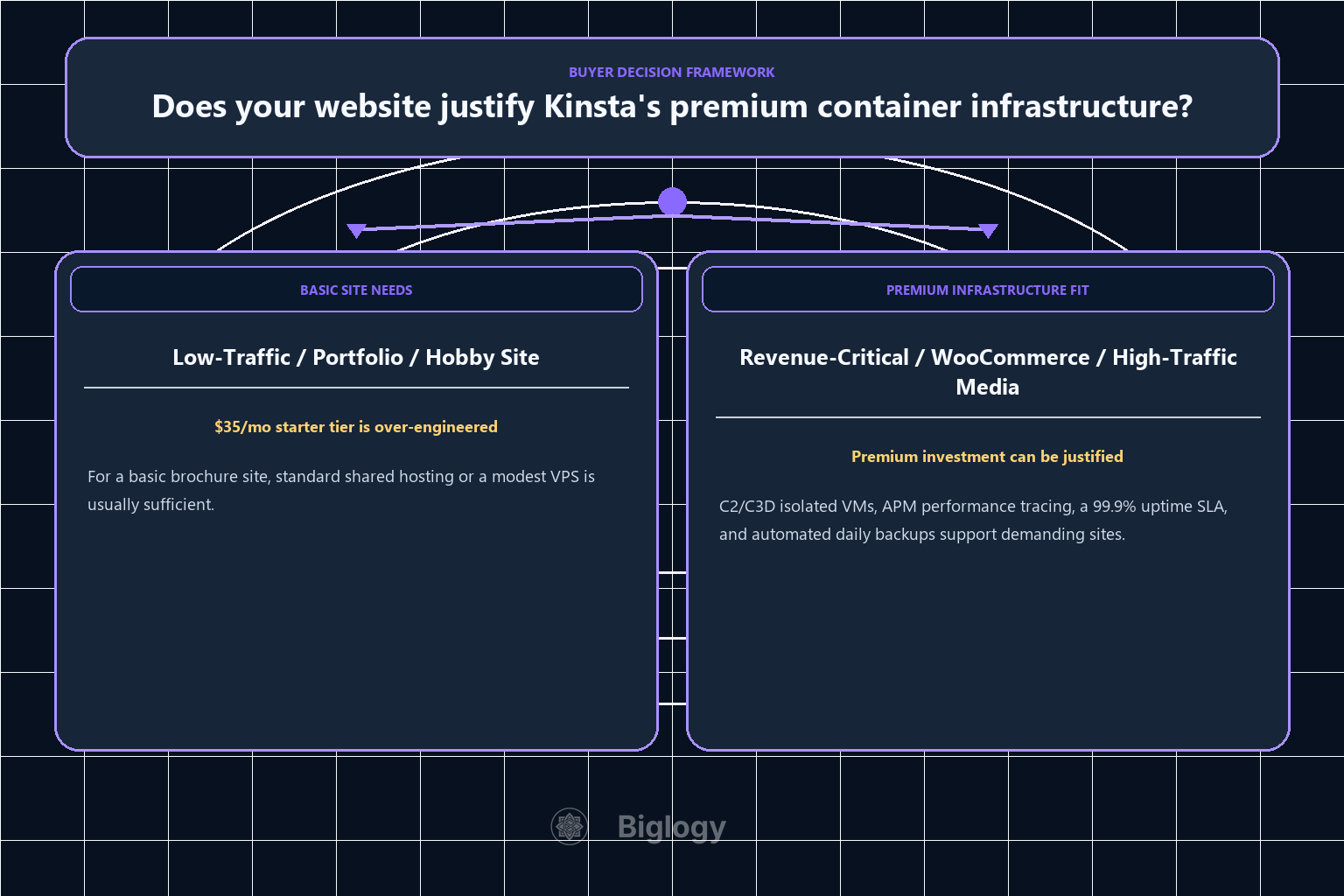
It can be if the site makes money, supports customers, or consumes meaningful maintenance time. It is usually excessive for a low-traffic personal site that needs only basic hosting.
Does Kinsta include email?
It supports transactional email from hosted sites but does not include mailbox hosting. Budget for a separate business email provider.
Is Kinsta fast?
Kinsta provides a credible performance stack, including isolation, caching, CDN delivery, and monitoring. Your result depends on the application. Test a clone with the same pages, traffic, and uncached workflows before making a performance claim.
Does Kinsta have cPanel?
No. It uses the custom MyKinsta dashboard. This simplifies common WordPress operations but is a change for users accustomed to cPanel.
Are backups included?
Yes. Kinsta provides daily automatic backups and other restore points. For business-critical sites, also maintain a tested backup outside the hosting account.
What happens if I exceed the visit limit?
The site is not automatically described as shutting down at the first extra visit; Kinsta bills documented overages and sends usage notifications. Extreme or persistent overages can require faster payment or a plan upgrade, so monitor usage before a campaign or viral traffic spike.
Can Kinsta host WooCommerce?
Yes, but plan selection should be based on uncached dynamic work—not just total page views. Test cart, checkout, account pages, search, webhooks, and scheduled actions under realistic load.
Does Kinsta offer a free trial?
Selected entry plans currently advertise the first month free. Limits and overages still apply, and the offer can change. Verify it on the official pricing and checkout pages.
Is there a Kinsta coupon code?
This review does not claim a coupon code. Kinsta was displaying an official time-limited promotion during research, and annual billing normally provides two months free. Use the official pricing page rather than an unverified coupon site.
Can I cancel within 30 days?
Eligible first-time customers can use Kinsta’s 30-day money-back guarantee, subject to exclusions. Overages, dedicated-server fees, and one-time fees are not fully protected by the guarantee.
Final verdict
Kinsta is not the default choice for every WordPress site. It is a premium operational platform for owners who value managed infrastructure, a coherent dashboard, staging, backups, monitoring, security layers, migrations, and developer access more than a bargain monthly bill.
The decision is straightforward:
- Choose Kinsta when the site is commercially important, the team will use its workflow tools, and the measured total cost fits the business.
- Run a controlled trial first when performance is the main reason for moving.
- Choose a cheaper host when the site is simple, low-risk, and unlikely to benefit from the operational features.
- Choose a VPS or more flexible cloud platform when server control matters more than managed convenience and your team can own the extra work.
Before buying, check the current Kinsta pricing page, select visits or bandwidth deliberately, estimate overages from real traffic, add the cost of email, and document a migration rollback. That turns a broad “Is Kinsta good?” question into a decision grounded in your own workload.
Sources
- Kinsta WordPress hosting plans and current pricing
- Kinsta WordPress hosting plan and billing documentation
- Kinsta overage documentation
- Kinsta email hosting documentation
- Kinsta backup documentation
- Kinsta staging documentation
- Kinsta migration documentation
- Kinsta money-back guarantee
- Kinsta affiliate program documentation
Related posts:
 Kinsta vs WP Engine for WordPress Sites: 2026 Hosting Comparison, Speed, and Pricing
 How Should You Plan for Managing Multiple WordPress Sites with MainWP?
 Webflow vs WordPress (2026): Which CMS Is Truly Better for You?
 What Structure Is Needed When Setting Up an Affiliate Content Site on WordPress?

Trackbacks & Pingbacks
[…] Content-Led SEO Brands: Pairing WordPress + WooCommerce on fast managed hosting (see our Kinsta review) eliminates Shopify’s rigid /products/ and /collections/ URL subfolders and gives total […]
[…] and WordPress operations off your plate. For a deep standalone evaluation of Kinsta, read our Kinsta managed WordPress hosting review. The better choice is not the host with the loudest speed claim. It is the host whose resource […]
Leave a Reply
Want to join the discussion?Feel free to contribute!