

Webflow vs WordPress (2026): Which CMS Is Truly Better for You?
Editorial Disclosure: Biglogy maintains strict reader-first editorial independence. All vendor links point directly to official documentation, pricing pages, and platform resources. While we participate in select partner programs, our evaluations remain unbiased, rigorously researched, and never influenced by commercial commissions or promotional compensation.
The debate between Webflow and WordPress is the defining choice in modern web development. On one side stands Webflow, the leading visual development platform that translates CSS, HTML, and JavaScript directly onto an intuitive design canvas with enterprise-grade managed hosting. On the other stands WordPress, the open-source operating system of the internet powering over 40% of all websites, offering infinite flexibility, data ownership, and a vast global plugin ecosystem.
In 2026, neither platform is universally “better.” The correct platform depends entirely on your team’s skillset, design workflow, content publishing scale, and tolerance for ongoing software maintenance.
Short Answer: Which CMS Should You Choose in 2026?
Choose Webflow if you are a marketing team, startup, or visual designer who needs custom, responsive, high-converting websites without writing manual code or managing server maintenance, security patches, and plugin conflicts.
Choose WordPress if you are a heavy content publisher (blogs or media sites scaling beyond 2,000+ articles), an e-commerce brand requiring custom checkout logic, or a business that demands 100% data ownership and uncapped database flexibility without recurring SaaS item fees.
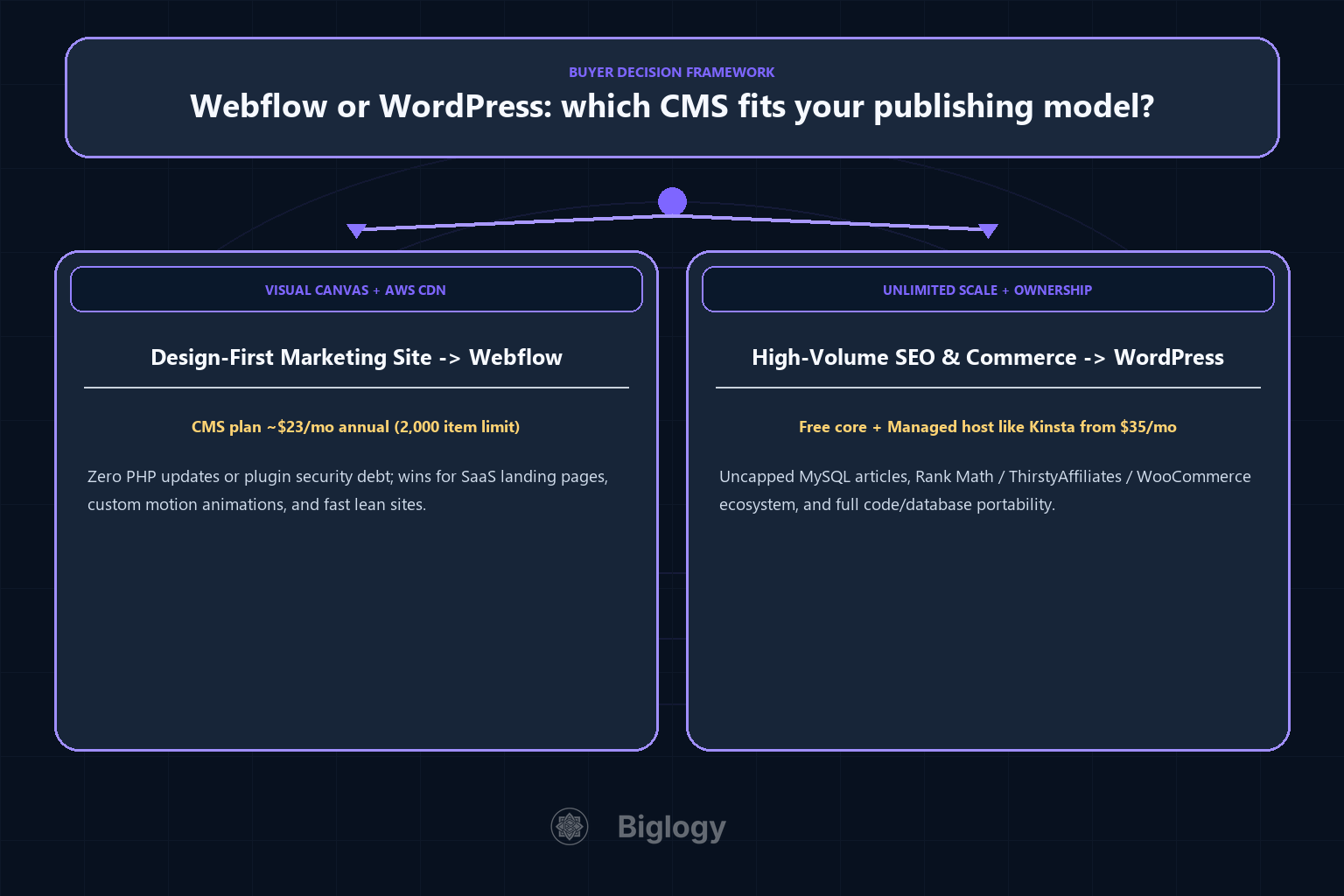
Webflow vs. WordPress: High-Level Comparison
| Decision Category | Webflow | WordPress (Self-Hosted .org) |
|---|---|---|
| Platform Nature | Closed SaaS with visual code-generation | Open-source, self-hosted PHP/MySQL software |
| Visual Design Freedom | Pixel-perfect CSS box model control on canvas | Gutenberg blocks, Full Site Editing, or page builders |
| Hosting & Speed | Managed AWS + Fastly CDN edge network included | User-selected (from shared hosting to managed hosts) |
| CMS Item Limits | Tier-capped (2,000 on CMS, 10,000 on Business) | Virtually unlimited (depends solely on database/server) |
| Maintenance & Security | Zero maintenance (SSL, updates, backups handled) | Requires ongoing core, theme, and plugin maintenance |
| Ecosystem & Plugins | Curated Webflow Apps & custom code embeds | 60,000+ open-source plugins (WooCommerce, ACF, etc.) |
| Learning Curve | Moderate to steep (requires CSS/HTML concepts) | Gentle for basic editing; steep for complex custom themes |
Core Comparison Dimension 1: Design Freedom and Visual Development
The foundational difference between the two platforms lies in how web layouts are constructed:
Webflow: True Visual CSS
Unlike simplistic drag-and-drop website builders (such as Wix or Squarespace), Webflow is a visual front-end compiler. When you adjust padding, flexbox alignment, CSS grid layouts, or state interactions on the canvas, Webflow generates clean, standards-compliant, semantic HTML5, CSS3, and JavaScript in real time.
Designers who understand CSS properties can build complex responsive layouts without touching a code editor. Webflow’s native interactions engine also enables intricate scroll-based micro-animations and hover effects that would otherwise require heavy custom JavaScript libraries.
WordPress: Gutenberg and the Block Ecosystem
WordPress has evolved dramatically through Gutenberg and Full Site Editing (FSE). Modern block themes allow site owners to assemble page templates using structured blocks without legacy visual bloat.
However, achieving true pixel-perfect custom designs in WordPress often requires either custom theme development (PHP, CSS, theme.json) or third-party visual builders (such as Elementor, Bricks, or Breakdance). While page builders provide visual freedom, they can introduce database bloat and DOM nesting complexity if not optimized properly.
Core Comparison Dimension 2: Content Scalability and CMS Limits
For content-driven businesses, blogging operations, and affiliate review hubs, content volume is the deciding factor:
- Webflow’s CMS Limits: Webflow charges based on CMS items (posts, categories, authors, and dynamic collection items). The popular CMS plan caps collections at 2,000 items, while the Business plan caps them at 10,000 items. If your editorial model produces thousands of programmatic pages or comprehensive review directories, upgrading to enterprise custom tiers becomes an expensive necessity.
- WordPress’s Uncapped Scale: WordPress uses a native MySQL/MariaDB relational database with custom post types and custom taxonomies. It handles 5,000, 50,000, or 500,000 articles without artificial software licensing penalties. For high-volume content publishers, WordPress remains the industry standard.
Core Comparison Dimension 3: Hosting, Infrastructure, and Core Web Vitals
Website speed directly impacts organic search rankings and conversion rates. Here, the operational differences are stark:
Webflow’s Zero-Configuration Speed
Every Webflow site is hosted on a managed infrastructure powered by Amazon Web Services (AWS) and globally cached via Fastly and Cloudflare edge networks. Static asset minification, Brotli compression, SSL certificate provisioning, and HTTP/3 delivery are completely automated. Webflow sites consistently score 95+ on Google PageSpeed Insights out of the box with zero DevOps intervention.
WordPress: Performance Depends on Your Hosting Stack
Because WordPress is self-hosted software, performance is governed by where you deploy it. Cheap shared hosting frequently leads to slow Time to First Byte (TTFB) and database bottlenecks during traffic surges. To match Webflow’s out-of-the-box infrastructure speed, WordPress sites require specialized premium hosting.
For WordPress teams wanting managed cloud performance without managing Linux servers, pairing WordPress with an enterprise cloud host is essential. Explore our detailed Kinsta review or our direct Kinsta vs WP Engine comparison for proven managed WordPress architecture.
Core Comparison Dimension 4: Maintenance Burden vs. Plugin Debt
| Operational Factor | Webflow | WordPress |
|---|---|---|
| Software Updates | Automatic cloud updates; zero server maintenance | Manual or automated core, theme, and plugin updates |
| Security & Vulnerabilities | Closed infrastructure; immunity to common PHP injection/plugin hacks | Requires active hardening, security plugins, and regular patching |
| Backups & Rollbacks | One-click automated version restore points | Managed via hosting backups or third-party backup plugins |
| Plugin Incompatibilities | None; apps run through vetted Webflow APIs | Risk of “plugin conflict white screen” during updates |
Webflow completely removes the anxiety of software maintenance. You never wake up to a broken layout caused by an unexpected theme update. In WordPress, site reliability requires discipline, staging environments, and reliable monitoring.
Core Comparison Dimension 5: SEO and Marketing Extensibility
Both platforms are capable of ranking on the first page of Google. However, their SEO implementation mechanics differ:
- Webflow Native SEO: Webflow includes direct control over meta titles, meta descriptions, Open Graph cards, canonical tags, automated XML sitemaps, 301 redirect management, and alt text directly inside the Designer. Clean semantic code without redundant CSS files provides an excellent technical SEO foundation.
- WordPress Advanced SEO: Powered by plugins like Rank Math or Yoast, WordPress offers unparalleled programmatic schema markup builders, deep internal link suggestions, and granular robots indexing directives across complex taxonomy hierarchies.
If your marketing strategy centers heavily on standalone conversion landing pages, you can also compare dedicated landing page tools in our Unbounce review, or explore funnel platforms in our systeme.io review.
Pricing & Total Cost of Ownership (TCO) in 2026
Understanding total cost requires looking beyond upfront fees:
| Expense Category | Webflow Typical Cost | WordPress Typical Cost |
|---|---|---|
| Software License | Included in SaaS site plan | Free open-source software |
| Monthly Hosting | $14 to $39 / month (Basic, CMS, Business) | $5/mo (budget) to $35/mo (managed cloud like Kinsta) |
| Themes & Frameworks | Free templates or $49-$149 one-off premium templates | Free block themes or $59-$199/year commercial themes |
| Essential Plugins / Apps | Most native; third-party apps $10-$50/mo | Many free; premium plugins (SEO, forms, caching) $100-$300/yr |
| Maintenance Labor | Virtually zero hours | 1 to 3 hours/month for backups, updates, and testing |
Final Decision Matrix: Which Platform Wins for You?
| Your Scenario | Winning Platform | Key Reason |
|---|---|---|
| Marketing site for a SaaS or tech startup | Webflow | Rapid visual iteration, high-converting design, zero server upkeep. |
| High-volume content blog or affiliate portal | WordPress | Uncapped post limits, powerful taxonomy architecture, lower per-page cost. |
| Design agency building client websites | Webflow | Client-First framework, client billing editor, no plugin conflict maintenance. |
| Custom e-commerce with complex shipping/tax | WordPress (WooCommerce) | Complete control over checkout pipelines without proprietary platform fees. |
| Solo founder with zero technical or design skills | WordPress + Block Theme | Massive tutorial ecosystem and lower initial cash outflow. |
Verdict
Webflow and WordPress are not direct enemies; they serve distinct digital needs. If your priority is custom design agility, visual brand excellence, and hassle-free cloud hosting, Webflow is the premier website platform for 2026. If your priority is content volume, total database sovereignty, and infinite plugin customization, WordPress remains unmatched.
Official Sources & Documentation Reviewed
- Webflow Official Website
- Webflow Official Pricing Plans & CMS Item Limits
- WordPress.org Official Documentation & Block Editor Guide
Comparison updated: November 2026. Specifications checked against official vendor documentation. Confirm current plan boundaries directly on the official vendor websites before purchasing.


Leave a Reply
Want to join the discussion?Feel free to contribute!