
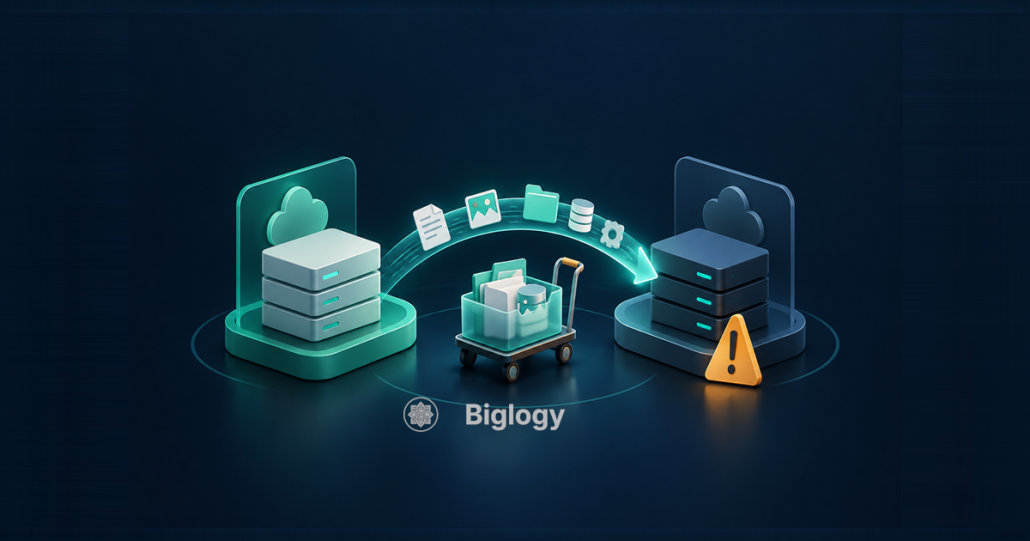
Why Is Data Portability Important? Risks of Switching Platforms
Short Answer
Data portability is the ability to extract your data from one platform to another in a way that is meaningful, usable, and—if possible—with minimal loss. Therefore, it is not merely a technical feature; it directly addresses the risks of vendor lock-in, migration costs, and operational security.
A platform may seem very efficient at first. But if the answers to the following questions are weak, it could become costly down the road:
- In what format can data be exported?
- Are historical records, relationships, and logs preserved?
- Do the API and integration architecture facilitate migration?
- Do the licensing and renewal models make migration difficult?
- Are the team, processes, and reports overly dependent on a single vendor?
From a Biglogy perspective, choosing the right tool takes into account not only today’s efficiency but also the costs that would arise if you needed to leave tomorrow.
Who Is This Guide For?
This guide was prepared specifically for:
- IT managers selecting a new platform
- operations teams making digital infrastructure decisions
- teams selecting CRM, analytics, content, project management, or automation tools
- companies looking to reduce the risk of vendor lock-in
- organizations facing the possibility of data migration or platform migration
- Decision-makers looking to avoid “easy today, expensive tomorrow” system decisions
The Reader’s Core Problem
When selecting a platform, most teams focus on the following in the initial stages:
- Is setup easy?
- Will the team adapt quickly?
- Is the price reasonable?
- Are the features sufficient?
But these questions are often asked too late:
- Will we be able to fully export the data?
- Will the migrated data function properly in the new system?
- Will historical transaction records be preserved?
- How much downtime will there be during the migration?
- If we want to leave the platform, what will the costs be for licensing, integration, and training?
This is exactly where the problem begins. Because systems with poor data portability may seem easy on day one but can become expensive on the day you leave.
Clarify This First
Data portability isn’t just about asking, “Is there a CSV export?”
True portability encompasses the following areas:
- the ability to export data
- the exported data being meaningful
- the preservation of relationships between records
- the traceability of past transactions
- the ability to transfer data to the new system in a compatible format
- the ability to manage operational disruptions during the transition
The critical distinction here is this:
The ability to export data is not the same as the ability to actually migrate it.
A system may offer an export feature; but if:
- the format is fragmented
- field names are inconsistent
- relationships are broken
- the log history cannot be retrieved
- full data cannot be exported without an additional fee
then true portability may be weak.
Basic Concepts
1. Data portability
The ability to export data in a format that can be transferred to another system.
2. Vendor lock-in
A situation where switching away from a platform becomes excessively difficult from a technical, operational, or financial standpoint.
3. Switching Cost
The cost of switching platforms. This includes not only licensing but also training, data cleansing, integration, and the impact of downtime.
4. Audit trail
Records showing which actions were performed, when, and by whom within the system.
5. Exit strategy
An approach to planning in advance the sequence, data sets, and risk mitigation plan to follow if it becomes necessary to leave a platform.
Options / Models / Paths
In terms of data portability, digital tools can be broadly categorized as follows:
1. Closed and centralized platforms
Advantages:
- quick start
- single interface
- low initial complexity
Risks:
- The data structure may be platform-specific
- Exit costs may grow imperceptibly
- It may be difficult to recreate reports and automations elsewhere
2. API-first platforms
Advantages:
- Integration flexibility
- Ability to use data in different workflows
- Ease of planning migration scenarios in advance
Risks:
- need for a technical team
- API limitations or fees
- Overly optimistic interpretation of the “API is available” assumption
3. Modular tool stack
Advantages:
- No complete dependence on a single vendor
- Ability to migrate in stages
- Ability to replace one component while keeping others intact
Risks:
- Integration complexity
- Data consistency issues
- the need for greater operational discipline
4. Open-source or more controlled solutions
Advantages:
- High level of control
- advantage of data ownership
- greater exit flexibility in the long term
Risks:
- Technical maintenance burden
- Security and sustainability responsibilities
- May be too complex for a small team
Decision Matrix
| Situation | The Most Logical Approach | Why? | Risk | Next Step |
|---|---|---|---|---|
| Quick setup is needed; the team is small | A simple yet export-friendly platform | You need to start with low friction | Getting stuck in a closed architecture for the sake of convenience | Check the export scope and license terms |
| Data is critical and the growth plan is clear | API-first or modular architecture | There is a high likelihood of migration and integration in the future | Early standardization errors can be costly | Review the API, export, and data model |
| Regulatory and audit pressure is high | A robust system with audit trails and data access controls | Traceability and audit trail integrity are important | Incomplete logs create compliance and security issues | Compare logging, access, and retention policies |
| The price is good, but the exit terms are unclear | Conditional assessment | Today’s price may hide tomorrow’s dependency costs | Renewal and transition shock | Read the contract, data export, and cancellation terms |
| The current system is now causing scalability issues | A phased transition plan | A controlled transition is safer than an abrupt break | Data loss and operational disruptions | First, create an inventory of critical data |
User Scenarios
Scenario 1: A small team is choosing its first system
The main mistake this team makes is opting for a completely closed system based on the assumption that “we’ll just migrate it later anyway.”
A better approach:
- Get started quickly
- but don’t neglect export quality
- regularly export critical data
Scenario 2: A growing company is looking for a central platform
The risk of vendor lock-in is greater for this company. Because:
- the number of teams is increasing
- Processes become embedded in the platform
- reports become standardized
- training costs rise
Here, data portability must be at the heart of the decision.
Scenario 3: Regulation-sensitive sector
In sectors such as finance, healthcare, education, or areas requiring high levels of oversight, data portability is not just a matter of efficiency; it is a compliance risk.
Critical areas here include:
- audit trail
- access logs
- data retention period
- secure export
- recovery procedure
Scenario 4: A team wanting to leave a platform where prices are rising
This is where the most common problem arises:
- Data is exported but is incomplete
- report history is lost
- automations have to be rewritten
- the team transitions to the new system slowly
For this reason, the exit cost must be considered at the time of purchase.
Implementation Steps
1. Ask about exit costs before purchasing
The following statement must be made during the decision-making meeting:
- “What would it cost if we wanted to exit this platform after 18 months?”
2. Conduct a data inventory
Consider the following separately:
- customer data
- transaction data
- reports
- media / files
- user roles
- logs and audit history
- automation workflows
3. Test the export quality
If possible, get answers to the following questions:
- In which formats is the export available?
- Is there a full export?
- Is the relational structure preserved?
- Can the history be retrieved?
- Is the export a paid service?
4. Review API and integration transparency
Check the following:
- Is it read-only, or does it support writing as well?
- Is there webhook support?
- Do rate limits make integration difficult?
- Is the documentation sufficient?
5. Read the terms of service and license agreement
The following areas are particularly important:
- Annual renewal requirement
- Flexibility regarding price increases
- Data access period after cancellation
- export or backup limits
- cost increase per user
6. Roughly estimate the migration cost
Make the following items visible:
- Data cleanup
- Migration time
- team training
- re-establishing integrations
- temporary loss of productivity
- reporting disruption
7. Prepare an exit strategy note
The tool selection document must include at least the following fields:
- Why was it selected?
- Under what conditions will it be reviewed?
- Which data will be backed up regularly?
- Which signal triggers the decision to exit?
Common Mistakes
1. Thinking “We have an export” and resting easy
This is not sufficient without evaluating the format and integrity.
2. Treating ease of initial setup as the sole measure of success
An easy start can mean a costly exit.
3. Thinking of technical dependency as just a developer’s problem
This is also an issue for operations, training, and the budget.
4. Mistaking team habits for system quality
Just because people are used to it doesn’t mean the system was the right choice.
5. Assuming an open-source solution automatically means freedom
Vendor lock-in may decrease, but operational lock-in may increase.
6. Making decisions without reading the license terms
The risk is sometimes hidden not in the product, but in the business model.
7. Thinking about the exit strategy too late
The most costly mistake usually starts here.
When Is a Simple Solution Enough?
A simple solution may be sufficient if:
- the team is small
- the volume of data is limited
- the process is in the experimental phase
- the platform plays a supporting role rather than a core one
- the transition cost can be kept low
But even in these cases, the basic principles of export and backup must be maintained.
When Is a Professional Tool or Platform Necessary?
A professional solution may make more sense if:
- the data has become critical
- the team size has grown
- role management and access control are important
- compliance, auditing, or security needs have increased
- the manual setup has started to create operational risks
However, choosing a professional tool does not give you the right to ignore the risk of vendor lock-in.
Sample Roadmaps
Roadmap 1: Low-Risk Start
- Clarify the need
- segregate data types
- Choose an export-friendly solution
- Back up critical data regularly
- Reassess the dependency level after 6 months
Roadmap 2: Selecting a Mid-Sized Company
- Compare solution categories
- Make API and export criteria mandatory thresholds
- Assess licensing risks in writing
- Roughly estimate the migration cost
- Avoid making a major commitment without an exit strategy
Roadmap 3: Plan to Exit the Vendor
- Inventory critical data
- Identify areas that will be lost during the transition
- Test the alternative system with a small pilot
- Plan the order of data migration
- Manage team training and the impact of downtime separately
The Biglogy Perspective
From Biglogy’s perspective, the right decision in this matter is not to choose the most popular tool; rather, it is to determine the appropriate solution category based on data portability, licensing flexibility, integration openness, team capacity, and exit costs.
For us, the real question is:
Is this tool getting the job done today?
Not just,
how much trouble would it cause us if we wanted to switch tomorrow?
This approach isn’t meant to create unnecessary fear; it’s to avoid confusing convenience with dependency.
Conclusion
Data portability is important because the risk of switching platforms grows not only from moving to a new tool but also from being unable to move away from the old one.
A sound approach is generally as follows:
- define the need
- Examine data portability
- Evaluate the API and integration architecture
- review licensing and renewal terms
- Calculate the migration cost
- Avoid creating deep dependencies without an exit strategy
The best platform isn’t always the one with the most features; the best platform is the one that generates value without trapping you in uncontrolled dependency.
FAQ
What exactly does data portability mean?
It is the ability to transfer data from one system to another in a usable and meaningful way.
Are vendor lock-in and data portability the same thing?
No. Data portability is one of the key areas that reduces the risk of lock-in; however, dependencies related to contracts, processes, and training are also important.
Does having an export feature solve the risk?
No. The export format, completeness, related data, and compatibility with the new system must also be evaluated.
Should small teams consider this as well?
Yes. The risk may become apparent later in a small team, but the wrong choice can still prove costly.
Is an open-source solution always more secure?
No. It provides control, but it can also bring additional maintenance and operational burdens.
What is the most critical question?
“What would we lose if we stopped using this tool?” is one of the most critical questions.
Why are licenses and contracts important?
Because a system that appears technically feasible may become prohibitively expensive in practice due to commercial terms.
How does Biglogy summarize this issue?
Biglogy considers it essential to calculate not only the ease of entry but also the exit costs when selecting a tool.


Trackbacks & Pingbacks
[…] Why keep unsubscribed emails in a suppression list rather than deleting them? Because if an old CSV, CRM webhook, or Zapier sync accidentally pushes that email address back into GetResponse later, an active global suppression rule blocks accidental re-enrollment automatically. For broader vendor-exit planning, read our guide on why data portability matters when switching SaaS platforms. […]
[…] For an in-depth review of Make’s credit mechanics, scenario fail-safes, and small business usability, read our Make review for freelancers and small teams. Before selecting an automation platform, evaluate platform switching friction in our guide on data portability and switching platforms. […]
Leave a Reply
Want to join the discussion?Feel free to contribute!