
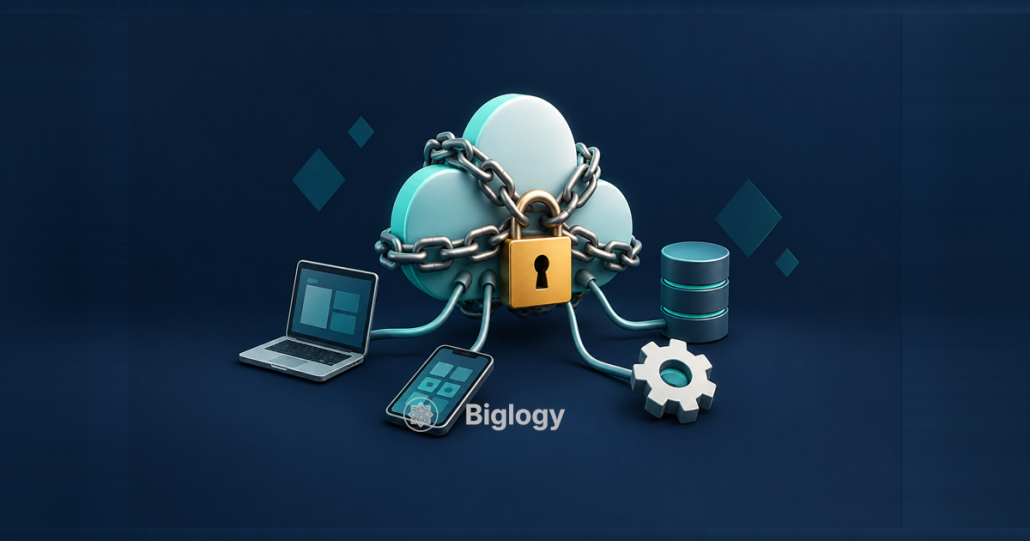
What Is Vendor Lock-in in Digital Tools?
Short Answer
Vendor lock-in happens when a digital tool becomes difficult to leave from a technical, operational, or financial perspective. The real question is not only:
Do we like this tool?
It is also:
What happens if we need to leave it later?
The main risks usually appear in areas like:
- weak data portability
- limited or restrictive API access
- high migration effort
- heavy dependence on one platform for workflows and training
- unclear licensing, renewal, or exit terms
From Biglogy’s perspective, the right decision is not to choose the tool with the most features. It is to choose a solution that creates value without creating unnecessary dependency risk.
Who Is This Guide For?
This guide is intended for:
- product managers selecting new tools
- operations and IT teams building internal systems
- teams that do not want to become too dependent on one platform
- decision-makers comparing SaaS, no-code, CRM, analytics, or content tools
- companies that want future flexibility around data, workflows, and migrations
- people who want to avoid tools that feel easy today but expensive to leave later
The Reader’s Core Problem
Vendor lock-in is often noticed too late.
During the buying stage, teams usually ask:
- Is the price reasonable?
- Is the interface easy to use?
- Will the team adopt it quickly?
- Does it integrate with our current setup?
But the more important questions often arrive later:
- Can we export the data in a useful format?
- Can we rebuild the workflow somewhere else?
- Is the API actually open enough for real portability?
- If pricing changes, what would leaving cost us?
- How much of our process becomes tied to this one vendor?
When these questions are asked too late, the result is usually familiar:
- dissatisfaction increases, but switching feels hard
- inertia starts to outweigh decision quality
- data becomes harder to move
- alternatives may make more sense, but migration feels too costly
- the team stays in a system longer than it wants to
First, Let’s Clarify This
Vendor lock-in is not always inherently bad. Unexamined lock-in is the real problem.
Some level of dependency is natural:
- team processes get built inside a system
- automation becomes tied to the platform
- reporting habits become standardized
- training investment starts to pay off
The problem is not being connected. The problem is becoming connected without understanding the cost of that connection.
The critical distinction is this:
Choosing a platform for efficiency is different from becoming so dependent on it that leaving is no longer realistic.
Basic Concepts
1. What Is Vendor Lock-In?
Vendor lock-in is the situation in which leaving a vendor, platform, or software product becomes unnecessarily difficult because of data structure, workflow dependence, training, contracts, integration design, or switching costs.
2. What Is Data Portability?
Data portability is the ability to export your data in a form that can be transferred, reused, or restructured in another system.
3. What Are Switching Costs?
Switching costs include more than money. They can also include:
- time
- retraining
- workflow redesign
- integration rebuilding
- reporting disruption
- productivity loss during transition
4. What Is an Open API?
An open API is an integration layer that makes it easier for a system to exchange data with other tools and reduces dependence on closed workflows.
5. What Is an Exit Strategy?
An exit strategy is a plan that defines what happens if the tool needs to be replaced, including:
- which data must be moved
- which processes must be rebuilt
- which risks matter most
- what conditions should trigger reevaluation
Common Tool Architecture Models
1. Closed All-in-One Platforms
Advantages
- fast setup
- one main interface
- less early complexity
- easier early adoption for small teams
Risks
- data can remain trapped inside the platform
- module dependence can grow over time
- price changes can become harder to resist
- replacing one area may require replacing the whole system
2. Modular SaaS Stack
Advantages
- different tools can be chosen for different jobs
- some components are easier to replace
- dependence on one single vendor is reduced
Risks
- integration complexity can rise
- data can become fragmented
- operational overhead can increase
3. Open-Source or Self-Hosted Solutions
Advantages
- stronger control
- more direct data ownership
- greater long-term flexibility
- lower dependency on a commercial vendor
Risks
- maintenance burden shifts inward
- security responsibility increases
- setup and ongoing operations may be harder
4. API-First and Export-Friendly Platforms
Advantages
- migration planning is usually clearer
- portability assumptions can be tested more directly
- long-term flexibility is often better
Risks
- technical capability may still be required internally
- portability may be advertised more strongly than it works in practice
- cost and governance still matter even when the API is open
Decision Matrix
| Situation | Most Logical Approach | Why? | Main Risk | Next Step |
|---|---|---|---|---|
| The team is small and needs to move quickly | A simple but export-friendly tool | Low setup friction matters, but future portability still matters | Getting trapped in a closed system for the sake of convenience | Check export behavior and license terms first |
| The team is growing and processes are stabilizing | Modular or API-first architecture | Some components may need to be replaced later | Standardizing too early around the wrong platform | Review integrations and data structure carefully |
| Data is critical or regulated | A more controlled and portable environment | Data ownership and controlled access matter more | Closed structures that make clean export difficult | Review portability and compliance-related obligations |
| The team has strong technical capacity and wants more control | Open-source or self-hosted options | Dependency risk can be reduced through ownership | Maintenance and security burden can rise | Estimate operational responsibility before committing |
| The tool looks strong but pricing or renewal rules are unclear | Conditional evaluation | Today’s convenience may hide tomorrow’s constraints | Renewal, pricing, or API surprises later | Review contract, roadmap, and pricing logic before adoption |
User Scenarios
Scenario 1: A Small Team Wants a Fast Start
A closed but fast-moving tool may feel attractive. The important question is whether today’s convenience becomes tomorrow’s dependency.
A better approach is often:
- start quickly
- keep the export path visible
- avoid locking critical data into one platform too early
Scenario 2: A Growing Company Wants Process Standards
Lock-in risk is more serious here because the cost of leaving rises as workflows become embedded.
The following areas matter more:
- API openness
- portability of the data model
- reporting migration effort
- user-role flexibility
- renewal and licensing structure
Scenario 3: A Team Needs Strong Integrations
Simply saying “there is an integration” is not enough.
The real questions are:
- Is the integration truly bidirectional?
- Can import and export be used meaningfully?
- Are automation, API, or webhook capabilities strong enough?
- Does the platform only connect superficially, or does it really allow workflow flexibility?
Scenario 4: A Team Is Drawn to Open Source by Principle
Open source is not always the right answer by default. It can reduce vendor dependency while increasing operational dependency.
The better question is:
- Do we actually want this level of control?
- Or are we reacting to lock-in fear without planning for maintenance reality?
Implementation Steps
1. Consider the Exit Before the Purchase
Before signing anything, ask:
- If we want to leave this tool later, what would that process actually look like?
2. Test the Export Capability
If possible, check:
- which export formats exist
- whether the export is complete or partial
- whether relationships survive the export
- whether media, logs, and history move cleanly
3. Assess API and Integration Realistically
The phrase “there is an API” is not enough.
Review:
- documentation quality
- scope and limits
- rate limits or usage restrictions
- whether access is read-only or read-write
- whether important actions require paid or restricted access
4. Read the License and Renewal Terms
Look especially for:
- price-change rights
- user-scaling logic
- renewal commitments
- data access after cancellation
- possible export or termination restrictions
5. Categorize Critical Data
Not all data has the same risk level. Separate areas like:
- customer data
- content data
- analytics data
- operational history
- automation logic
- custom reporting structure
The more important the data, the more seriously portability should be treated.
6. Estimate Migration Effort Roughly
Include areas such as:
- data cleanup
- setup of the replacement tool
- team training
- rebuilding integrations
- reporting disruption
- temporary productivity loss
7. Write a Short Exit-Strategy Note
The tool-selection record should include:
- why this tool was chosen
- what should be monitored
- what conditions would justify reevaluation
- which data should be backed up or exported regularly
Common Mistakes
1. Treating Lock-In as Only a Technical Issue
It is not only an API issue. It also includes process, training, contracts, and operational behavior.
2. Making Ease of Setup the Only Priority
Fast setup today can create expensive exit conditions later.
3. Assuming Export Equals Portability
An export feature alone does not mean migration will be realistic or smooth.
4. Mistaking Team Habit for System Quality
Just because a team is used to a tool does not mean the dependency is healthy.
5. Assuming Open Source Automatically Removes Risk
Vendor lock-in can fall while maintenance and operational dependency rise.
6. Ignoring Contracts During Tool Selection
Some of the most serious risks live in renewal and licensing language rather than in the product interface.
7. Postponing the Exit Plan
“We will figure it out later” is one of the most common ways lock-in risk quietly grows.
When Is a Simple Solution Enough?
A simpler solution may be enough when:
- the team is small
- the process is still experimental
- critical data volume is still limited
- the tool supports rather than defines the core workflow
- leaving later would still be manageable
In this case, the goal is not a perfect system. The goal is a flexible one.
When Is a Professional Tool or Platform Necessary?
A more advanced platform may be justified when:
- the team has grown
- the workflows are becoming stable and repetitive
- the data volume is rising
- security, permissions, or compliance needs are becoming more important
- manual work is starting to create operational risk
But the same rule still applies:
Choosing a more powerful platform does not mean ignoring the dependency risk attached to it.
Sample Roadmaps
Roadmap 1: Lower-Risk Start for a Small Team
- Define the problem first
- Identify the most important data
- Choose a simple tool with a visible export path
- Back up critical data regularly
- Reassess dependency once the workflow becomes more established
Roadmap 2: Controlled Selection for a Growing Team
- Build a requirements matrix
- Treat API and export needs as real evaluation criteria
- Assess renewal and licensing risk in writing
- Compare modular architecture against single-vendor convenience
- Prepare an exit-strategy note before adoption
Roadmap 3: Reducing Existing High Dependency
- Inventory the critical data
- Identify the most expensive dependency area
- Create a phased transition plan
- Solve portability first
- Rebuild process and integration layers in stages
The Biglogy Perspective
From Biglogy’s perspective, the right tool decision is not about choosing the most popular platform. It is about choosing the right solution category by weighing:
- data portability
- technical dependency risk
- budget structure
- team capacity
- long-term exit cost
It is also a mistake to reject every strong platform out of pure fear of lock-in. But it is just as risky to adopt a platform without understanding its dependency profile.
Biglogy’s position is clear:
- do not confuse convenience with healthy dependency
- do not confuse speed with blind commitment
- do not separate today’s setup ease from tomorrow’s exit cost
- when choosing a tool, evaluate both entry and exit
Conclusion
Vendor lock-in is not only a technical issue. It is a decision-quality issue.
When selecting a digital tool, the question should not stop at:
Does it work well today?
It should also include:
What happens if we need to leave tomorrow?
A sound approach usually looks like this:
- define the need
- review data portability
- assess API and integration openness
- examine renewal and license risk
- estimate migration effort
- avoid building major dependency without an exit view
The best tool is not always the one with the most features. It is the one that creates value without pushing the team into unnecessary dependency.
FAQ
What exactly is vendor lock-in?
It is the situation where leaving a tool becomes unnecessarily difficult because of data, workflows, integrations, contracts, training, or costs.
Is vendor lock-in always bad?
No. The problem is not all dependency. The problem is dependency whose exit cost grows without being understood.
Does having an export feature solve the risk?
No. Export matters, but export quality, completeness, and migration usability matter too.
Does open source remove vendor lock-in completely?
No. It may reduce vendor dependency while increasing maintenance, hosting, or expertise dependency.
Which teams should take this risk more seriously?
Growing teams, teams handling critical data, systems with many integrations, and operations with rising licensing or renewal exposure should usually treat this risk more seriously.
Why do contracts and licenses matter so much?
Because a technically portable system can still become commercially difficult to leave if the renewal or exit terms are restrictive.
What is the first step to reducing vendor lock-in risk?
Think about portability and the exit path before selecting the tool, not after.
How does Biglogy summarize this issue?
Biglogy treats vendor lock-in as a hidden dependency cost that should be evaluated at the moment of selection, not only at the moment of frustration.


Leave a Reply
Want to join the discussion?Feel free to contribute!