

Make Review for Freelancers and Small Teams: Workflows, Credits, and Limits
Editorial disclosure: This review currently contains no tracked affiliate link. Biglogy has not treated a commission arrangement as evidence of product quality. If an approved commercial link is added later, it must be clearly disclosed and marked rel="sponsored".
Make is a visual workflow automation platform for connecting apps, moving data, applying rules, and handling exceptions. Its main advantage is visibility: a user can see a scenario as a sequence of modules instead of reading code. That does not make automation effortless. A useful Make deployment still requires a well-defined trigger, reliable field mapping, error handling, monitoring, and a budget model based on actual scenario activity.
Short Answer
Make is a strong candidate for freelancers and small teams that need multi-step, visual automations and are willing to test how each scenario consumes credits. It is less suitable when the workflow is poorly defined, when nobody will own failures, or when the team needs full control over hosting and data movement. The correct decision is not “Does Make connect to our apps?” but “Can we run, monitor, and afford the complete workflow under real volume?”
How This Review Was Conducted
This is a source-based editorial review, not a claim that Biglogy ran every integration in a production account. We reviewed Make’s official pricing explanation, credit documentation, webhook guidance, and error-handling documentation. Volatile prices are deliberately not reproduced here; readers should verify the current plan table immediately before purchase.
What Make Actually Automates
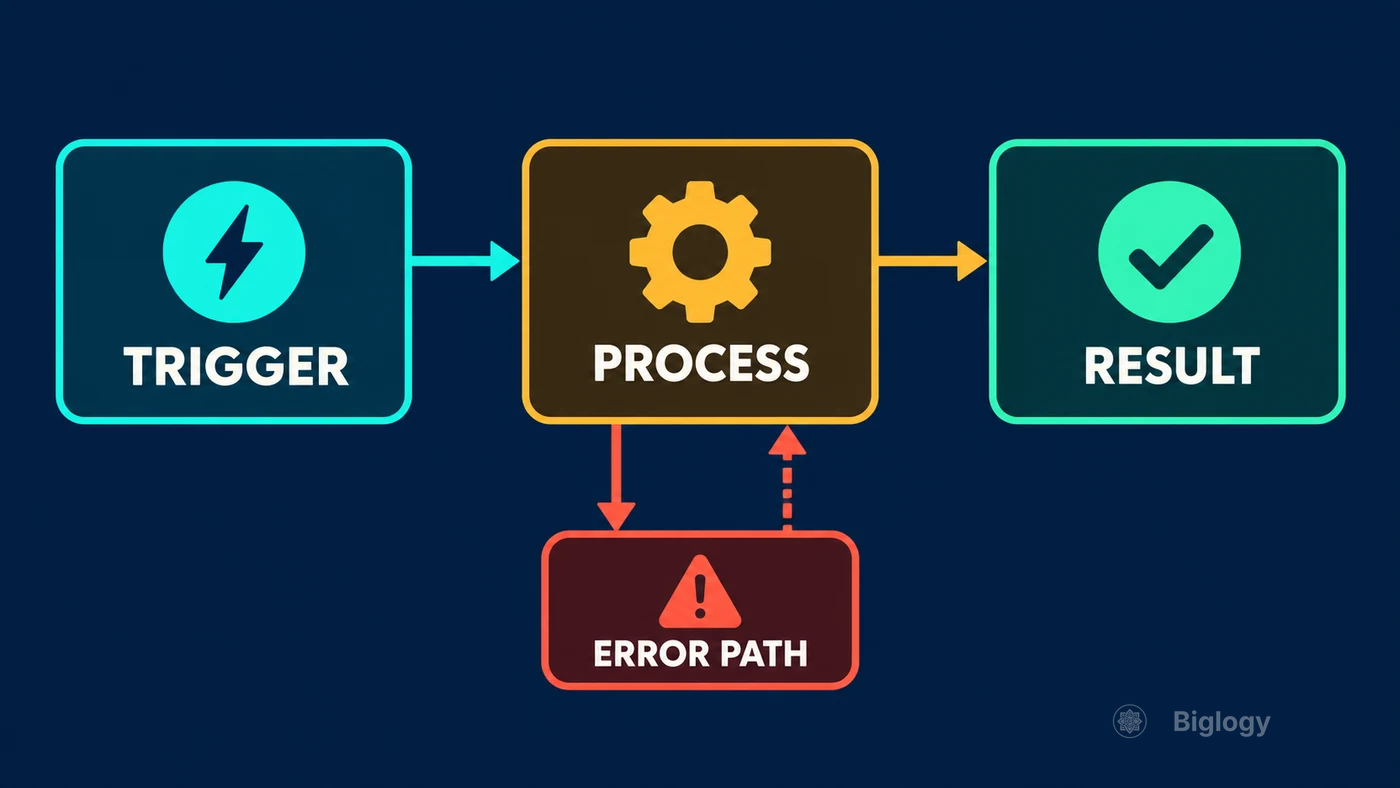
A Make “scenario” defines how information travels between services. A simple scenario might receive a form submission, normalize the email address, create or update a CRM contact, add a row to a tracking sheet, and send an internal notification. Each module has a purpose, and each branch or retry changes the operational cost and failure surface.
- Triggers: a schedule, webhook, new record, or changed record starts the scenario.
- Actions: modules read, create, update, delete, transform, aggregate, or route data.
- Filters and routers: conditions decide which path a record follows.
- Error handling: the scenario needs a defined response to timeouts, invalid data, rate limits, and unavailable services.
- Monitoring: a person must review incomplete executions and confirm that a “successful” run produced the intended business result.
The Credit Model Is a Design Constraint
Make’s current documentation uses credits as the billing unit. For non-AI apps, one operation generally equals one credit; some AI or advanced modules can consume credits differently. A single business event can therefore use several credits because it passes through several modules. Filters, iterations, searches, repeated updates, and retries can change consumption dramatically.
| Question | Why it matters | Evidence to collect |
|---|---|---|
| How many events arrive each month? | Volume is the starting point, not the final usage number. | Count real submissions, orders, contacts, or tickets. |
| How many modules run per event? | One event may consume multiple credits. | Test a representative scenario and inspect its execution history. |
| Can one event create multiple bundles? | Iterators and searches can multiply downstream work. | Test both average and worst-case records. |
| What happens after an error? | Retries and recovery paths affect cost and reliability. | Force safe test failures and document the expected response. |
Before choosing a plan, follow the same risk discipline described in Biglogy’s software trial checklist. Build one representative workflow, run it with realistic data, and project monthly usage from observed executions instead of marketing examples.
Where Make Fits Well
- A freelancer needs to connect a lead form, a spreadsheet, and an email or CRM tool without maintaining a custom application.
- A small team needs branching logic that is easier to review visually than a collection of scripts.
- The workflow crosses several services and needs transformation between formats.
- The team can assign an owner who checks failures, credentials, and field changes.
- The value of saved work is measurable enough to justify ongoing automation costs.
Where It Can Be the Wrong Choice
- The process changes every week and has not been documented.
- Sensitive data cannot be sent through an external automation platform under the organization’s policies.
- The team needs self-hosting or deep infrastructure control.
- No one will monitor failed or incomplete executions.
- A simple built-in integration already solves the problem with fewer moving parts.
- High-volume loops make credit consumption difficult to predict or justify.
For any cloud tool, review portability before committing. Biglogy’s guide to data portability and switching platforms explains why exports, credential ownership, documentation, and an exit path belong in the purchase decision.
A Practical Trial Plan
- Define one measurable problem. Example: route qualified form submissions to the CRM within five minutes while preserving consent data.
- Write the expected path. List the trigger, required fields, transformations, destinations, and owner.
- Create test records. Include valid data, missing fields, duplicates, unusual characters, and a deliberately unavailable destination.
- Measure executions. Record how many modules and bundles run for typical and worst-case events.
- Test recovery. Confirm what happens after a timeout, revoked credential, invalid payload, or rate limit.
- Check observability. Decide who receives an alert and how they distinguish business failure from technical success.
- Document the exit. Store field maps and process notes outside the platform so the workflow can be rebuilt.
Decision Matrix
| Situation | Likely decision | Main condition |
|---|---|---|
| One straightforward app-to-app task | Compare Make with the apps’ native integration | Choose the simpler path if it is reliable and sufficient. |
| Several services with transformations and branches | Make is a credible shortlist option | Model credit use and error paths first. |
| High-volume, mission-critical workflow | Run a controlled pilot before commitment | Monitoring, recovery, governance, and cost must be proven. |
| Strict self-hosting requirement | Evaluate a self-hosted alternative | Account for infrastructure and maintenance responsibility. |
| No internal workflow owner | Do not automate yet | Ownership is more important than the visual builder. |
Verdict
Make is most compelling when a small team needs visible, multi-step automation and can govern it like a real business system. Its visual builder can reduce implementation friction, but it does not remove the need for testing, monitoring, data governance, or cost control. Shortlist it for a defined workflow; do not buy it merely because it supports many apps.
Official Sources Reviewed
- Make pricing and credit overview
- Make Help Center: credits
- Make Help Center: webhooks
- Make Help Center: error handlers
Source review date: October 24, 2026. Features, limits, and commercial terms can change; verify the current official pages before purchase.


Trackbacks & Pingbacks
[…] Zapier’s per-task bill scales steeply compared to visual scenario tools reviewed in our Make.com review and our head-to-head Make.com vs Zapier […]
[…] of Make’s credit mechanics, scenario fail-safes, and small business usability, read our Make review for freelancers and small teams. Before selecting an automation platform, evaluate platform switching friction in our guide on data […]
[…] specific credit model, scenario failure recovery, and trial risk management, read our complete Make review for freelancers and small teams. Before migrating existing automated workflows between platforms, review Biglogy’s guide to […]
Leave a Reply
Want to join the discussion?Feel free to contribute!