

Surfer vs Clearscope: 2026 Content Optimization Comparison for SEO Teams
Surfer and Clearscope both help teams plan and optimize search-focused content, but they are no longer interchangeable editors. For our standalone evaluation of Surfer, see our Surfer SEO review and our head-to-head Surfer vs Frase breakdown. Surfer has expanded into a broader content and AI-search workflow. Clearscope remains more focused on research, drafting, grading, and monitoring published pages.
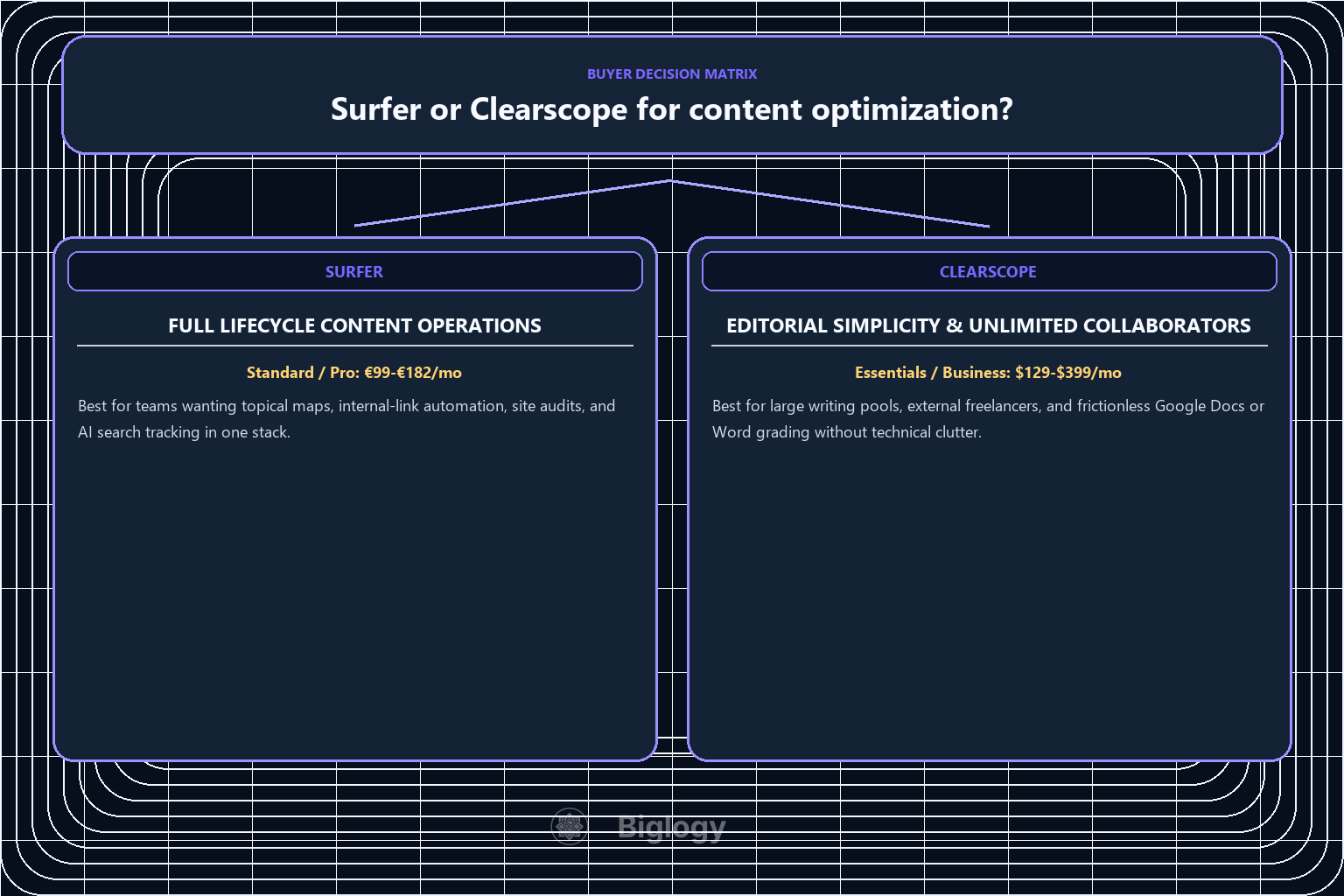
The short answer: choose Surfer if you want more of the content lifecycle—planning, optimization, internal-link assistance, content auditing, and AI-visibility tracking—inside one platform. Choose Clearscope if you want a focused editorial system that writers can use in Google Docs, Microsoft Word, WordPress, or a shared web draft, with unlimited users on its listed plans.
Neither tool replaces editorial judgment, original expertise, or a dedicated technical SEO crawler. The best choice depends on the work you need to complete each month, not which product can produce the highest optimization score.
> Research disclosure: This comparison is based on official product, pricing, integration, and support documentation checked on November 11, 2026. It is desk research, not a hands-on benchmark. Prices and limits can change, and the official pages displayed different currencies in our research locale. The links in this article are direct, untracked links.
Surfer vs Clearscope at a glance
| Decision factor | Surfer | Clearscope |
|---|---|---|
| Best fit | Teams wanting a broader content-operations platform | Teams wanting a focused editorial optimization workflow |
| Writing guidance | Content Score, terms, structure, competitor-based guidelines | Content grade, terms, research, and outline guidance |
| Planning | Topical Map and content-gap features | Discover for questions, intent, and topic research |
| Existing-content workflow | Content Audit, rank-drop signals, and refresh workflow | GSC-connected Monitor/Content Inventory |
| Internal linking | Productized internal-link assistance on eligible plans | Monitoring views and editorial workflow; verify exact plan capabilities |
| Integrations | Google Docs, WordPress, Contentful, Zapier, ChatGPT, and API with eligible access | Google Docs, Microsoft Word, WordPress, and Google Search Console |
| External writers | Shareable Content Editor links | Shareable drafts that do not require an account |
| Pricing page observed | Standard EUR 99/mo; Pro EUR 182/mo, billed yearly | Essentials USD 129/mo; Business USD 399/mo |
The central difference: platform breadth versus editorial focus
Surfer’s advantage is breadth. Its Content Editor is connected to a wider set of workflows: Topical Map for planning, Content Audit for identifying pages that may need attention, Auto-Optimize for assisted revisions, internal-link features, and AI-visibility tracking. A team can move from finding an opportunity to drafting, optimizing, publishing, and revisiting a page without assembling as many separate tools.
That breadth also creates a tradeoff. More modules mean more settings, quotas, and workflow decisions. A small editorial team that only needs consistent briefs and live writing guidance may pay for or navigate capabilities it rarely uses.
Clearscope’s advantage is focus. Its current product structure—Discover, Track, Write, and Monitor—centers the work of researching questions, creating optimized drafts, following brand visibility, and watching published pages. Its integration page shows the same grade, terms, research, and outline guidance inside Google Docs, Microsoft Word, and WordPress. That can reduce context switching for writers who do not want to live in another application.
This does not prove that one recommendation engine is more accurate than the other. Both vendors describe their own methods and benefits. Without a controlled test using the same queries, competitor sets, locations, and draft versions, claims such as “better NLP” or “more accurate recommendations” would be opinion, not evidence.
Content optimization and scoring
Both products turn search-result and language analysis into a practical writing interface. Surfer uses a numerical Content Score and provides guidance around terms, structure, length, and competing pages. Clearscope uses a content grade and recommends terms, research questions, and outline material.
The useful question is not which score looks more scientific. It is which interface helps your team make defensible edits.
Surfer is better suited to an SEO operator who wants granular controls and a connection to other tasks in the same platform. Clearscope is well suited to an editor who wants guidance to follow the draft into familiar writing environments. In both cases, a score is a diagnostic signal—not a publishing target. Forcing every suggested term into a page can make prose repetitive, blur intent, and reduce reader trust.
A sound review process should still ask:
- Does the page answer the searcher’s actual question?
- Are product facts and volatile claims sourced and current?
- Does the draft add experience, examples, or analysis beyond the ranking pages?
- Were irrelevant competitors removed from the comparison set?
- Is the page clear when a recommendation is conditional?
That principle matters even more when teams use automated rewriting. See Biglogy’s guide to the risks of AI-generated SEO content for a separate quality-control framework.
Workflow and integrations
Surfer supports a broad publishing workflow. Its official integrations directory lists Google Docs and WordPress, plus Contentful, Zapier, ChatGPT, and API access for eligible accounts. Content Editors can also be shared with collaborators by link. This makes Surfer practical when an SEO lead creates the optimization brief and an external writer completes the draft.
Clearscope’s workflow is especially attractive for editorial teams already standardized on common writing tools. Writers can access its sidebar in Google Docs, Microsoft Word, and WordPress. The vendor also says a shared draft can be opened without an account. Its current pricing page lists unlimited users across Essentials, Business, and Enterprise, which may matter more than the headline subscription price for a large contributor pool.
Do not assume “unlimited users” means unlimited work. Clearscope separately limits tracked queries, pages, monthly Discoveries, and monthly Drafts. Surfer also attaches document, prompt, workspace, and feature limits to plans. Estimate consumption from a real month of work before buying.
Monitoring and audits: an important scope distinction
Surfer Content Audit and Clearscope Monitor/Content Inventory both help teams revisit published pages, but neither should be confused with a complete technical website crawler.
Surfer says its Content Audit uses content and performance signals to identify rank drops, underperforming pages, and refresh opportunities, then connects those pages back to Content Editor. This is an action-oriented workflow for content maintenance.
Clearscope’s Content Inventory documentation describes a centralized, Google Search Console-connected view of published pages. It can show performance metrics, keyword alignment, content grades, and recurring reevaluations. That is valuable for managing a content library, but it does not establish that Clearscope replaces crawling tools used to diagnose site architecture, rendering, status codes, canonicalization, or Core Web Vitals.
If your main problem is technical SEO, start by choosing an SEO tool by the job rather than expecting a content optimizer to cover every audit requirement.
2026 pricing and total cost of ownership
Pricing needs careful handling because the official pages did not present a clean, same-currency comparison in our research session.
Surfer’s pricing page displayed Standard at EUR 99 per month and Pro at EUR 182 per month, both billed yearly. Standard listed 360 documents plus a smaller AI-prompt allowance; Pro added daily prompt tracking, five brand spaces, internal linking, coverage-gap tools, templates, and custom voices. The page also showed higher and more specialized plans.
Clearscope displayed Essentials at USD 129 per month and Business at USD 399 per month. Essentials included 50 tracked queries, 50 pages, 20 monthly Discoveries, and 20 monthly Drafts. Business increased tracking and page limits, increased Discoveries, retained 20 monthly Drafts, and added a dedicated account manager. Enterprise pricing was custom. The page listed unlimited users on all plans and separate prices for additional usage.
It would be misleading to convert those figures into a precise annual savings claim without fixing the buyer’s currency, taxes, billing period, and quota needs. Instead, compare the checkout total and calculate cost per completed deliverable:
- Count new drafts, refreshes, tracked pages, brands, and AI queries in a typical month.
- Map those numbers to the applicable plan and add-ons.
- Include any separate crawler, rank tracker, or reporting tool you still need.
- Divide the annual stack cost by the number of pages your team can actually publish or refresh.
- Recheck the vendor’s pricing page immediately before purchase.
Biglogy’s SaaS pricing verification guide provides a reusable checklist for this step.
Scenario 1: a solo publisher or small SEO team
Suppose one person plans a topic cluster, writes or commissions four articles per month, refreshes older posts, and handles internal linking. Surfer is usually the more coherent shortlist candidate because its planning, optimization, audit, and linking functions can reduce tool switching.
That recommendation is conditional. The publisher should confirm that the selected plan includes the exact features and quotas they will use. If they only need twenty optimized drafts per month and prefer a calmer writing interface, Clearscope Essentials may still be a rational choice—especially if several occasional contributors need access.
Scenario 2: a larger editorial team with many writers
Consider an editorial lead managing staff writers, freelancers, and subject-matter reviewers in Google Docs or WordPress. Clearscope’s unlimited-user policy, no-account shared draft links, and consistent cross-editor sidebar can simplify adoption. The team can keep its existing writing environment while centralizing grades and page monitoring.
Surfer can also support external collaborators through shareable editors and offers broader SEO operations. It becomes the stronger option when the same team wants content-gap planning, productized internal-link support, and refresh recommendations in one system. The decision hinges on whether operational breadth or low-friction writer adoption saves more time.
Who should choose Surfer?
Choose Surfer when most of these statements are true:
- You want planning, optimization, refresh, internal-link, and AI-visibility workflows connected.
- An SEO operator will actively manage competitor selection and optimization settings.
- Content Audit and rank-drop signals can replace parts of your current manual process.
- You manage multiple brands or need the higher plan’s workspace features.
- Your team will use Surfer’s broader feature set often enough to justify the plan.
Who should choose Clearscope?
Choose Clearscope when most of these statements are true:
- Writers primarily work in Google Docs, Microsoft Word, or WordPress.
- Unlimited users and easy freelancer sharing are important.
- You want a focused research, drafting, grading, and monitoring system.
- A clean editorial workflow matters more than consolidating multiple SEO jobs.
- Your monthly Draft, Discovery, Page, and Tracked Query needs fit the plan economics.
Frequently asked questions
Is Surfer better than Clearscope?
Surfer is better for teams that will use its broader planning, optimization, internal-link, audit, and AI-visibility workflow. Clearscope is better for teams prioritizing a focused editorial experience, familiar writing-tool integrations, and unlimited users. Neither is universally better.
Is Clearscope only a content editor?
No. Its current platform also includes discovery, AI/search query tracking, and GSC-connected monitoring of published pages. However, those features do not make it a complete technical site crawler.
Can Surfer or Clearscope replace Ahrefs, Semrush, or a crawler?
Usually not in full. Both can cover parts of content research and monitoring, while Surfer adds broader content-audit and planning functions. Teams that need backlink research, comprehensive rank tracking, log analysis, or technical crawling may still need specialized tools.
Which tool is better for freelance writers?
Both support link-based collaboration. Surfer allows shareable Content Editors, while Clearscope offers shared drafts that can be opened without an account. Clearscope’s unlimited-user pricing and integrations may simplify a large writer pool; Surfer may suit agencies that want collaborators inside a broader SEO workflow.
Should writers aim for a perfect optimization score?
No. Use the score or grade to identify gaps, then make editorial decisions based on intent, evidence, clarity, and usefulness. A perfect score can still produce a poor article, and a strong article may reasonably reject irrelevant recommendations.
Final verdict
For most SEO-led teams that want one platform to connect planning, optimization, maintenance, internal linking, and AI visibility, Surfer is the stronger operational choice. For editorial organizations that value adoption, familiar writing environments, unlimited users, and a focused content workflow, Clearscope is the stronger editorial choice.
Before purchasing, run the same live assignment through both trials: build one brief, invite a writer, edit in your preferred CMS, refresh one existing page, and record the time and plan credits consumed. Then compare current checkout totals rather than relying on an old list price. That small pilot will reveal more than any universal winner label.


Trackbacks & Pingbacks
[…] fit for every publisher. You can compare specific contenders in our Surfer vs Frase comparison, our Surfer vs Clearscope analysis, and our Mangools vs Ahrefs breakdown. The right Surfer alternative depends on what you actually […]
Leave a Reply
Want to join the discussion?Feel free to contribute!