

GetResponse Review for Digital Product Creators: Email, Forms, and Automation
Editorial disclosure: This article contains no tracked affiliate link. Biglogy has not verified an owner-specific GetResponse partner account or tracking URL. Any later commercial link must be approved, disclosed, and marked rel="sponsored".
GetResponse combines email marketing with signup forms, landing pages, autoresponders, automation workflows, webinars, and creator-oriented features. That breadth can be useful for digital product creators who want fewer disconnected tools. It can also encourage overbuying. The right evaluation begins with the subscriber journey you need to operate—not with the longest feature list.
Short Answer
GetResponse is worth testing if your core workflow is capture, consent, segmentation, email delivery, and follow-up, and if the plan available to you includes the specific automation depth you need. It is a weaker fit if you only need a basic newsletter, already have a reliable sales stack, or cannot explain how contacts will enter, move through, and leave the system.
Review Method and Limits
This review is based on current official product and Help Center documentation. It does not claim a long-running production test of every GetResponse feature. Prices are intentionally omitted because list size, billing period, region, taxes, and offer changes can affect the amount shown at checkout. Verify current pricing and limits directly before purchase.
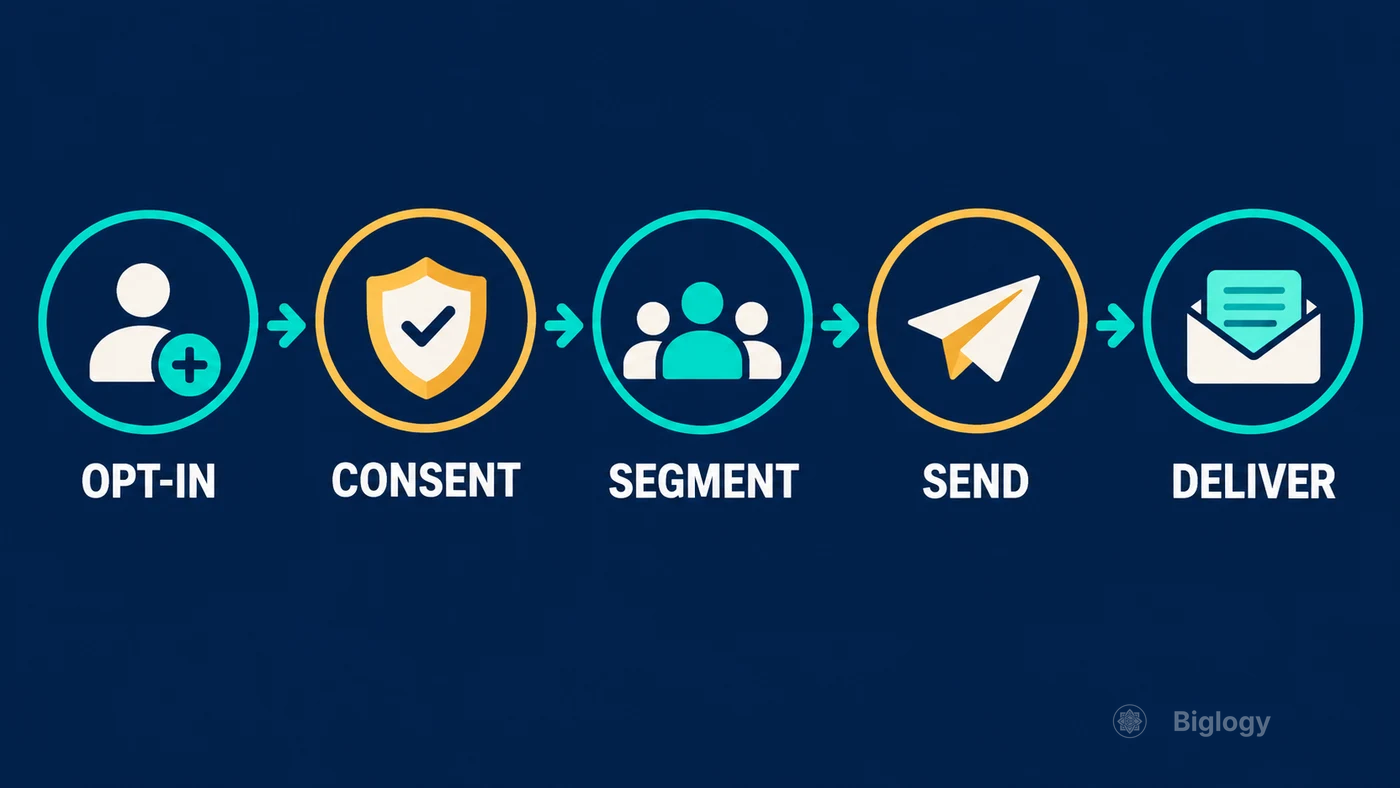
The Creator Workflow to Test
- A visitor reaches a focused signup or product page.
- The form collects only necessary data and records the consent context.
- The contact receives the promised confirmation, lead magnet, or onboarding message.
- Tags or custom fields classify the contact using transparent, relevant rules.
- Automation sends the next message only when the intended condition is met.
- Transactional purchase and access messages remain distinct from promotional campaigns.
- Unsubscribe, suppression, correction, and deletion requests are honored across the workflow.
If your checkout and delivery process is still unclear, first map the sequence in Biglogy’s guide to a digital product checkout, email, and delivery system. Email software cannot repair an undefined fulfillment process.
What to Evaluate During the Trial
| Area | Test | Failure signal |
|---|---|---|
| Forms and consent | Submit from desktop and mobile; verify required fields and consent evidence. | Contacts appear without the expected source or consent context. |
| Segmentation | Use real decision rules and inspect edge cases. | Contacts enter the wrong audience or cannot be excluded reliably. |
| Automation | Run the same event through normal, duplicate, and missing-data paths. | Messages send twice, too early, or after suppression. |
| Deliverability controls | Configure a sending domain and review authentication guidance. | The team treats software choice alone as a deliverability guarantee. |
| Reporting | Identify which metrics lead to a concrete editorial or commercial decision. | Reports look impressive but do not change an action. |
| Portability | Export contacts and the fields your workflow depends on. | Critical history or segmentation logic cannot be recovered. |
Trial and Plan Boundaries
GetResponse’s Help Center currently describes a 14-day period in which a Free account receives access to premium features, with stated limits for areas such as webinars, messages, landing pages, marketing automation, and support. Those details can change. A successful trial should therefore record which features were temporarily available, which remain after the trial, and which paid plan would be required for the production workflow.
- GetResponse Official Website
- Do not assume a workflow created during the trial will continue unchanged on a free account.
- Confirm contact-count rules and how billing changes as the list grows.
- Check whether automation conditions, sending features, webinars, and creator tools are included in the exact plan under consideration.
- Review renewal and cancellation terms before choosing a longer billing period.
Strengths for Digital Product Creators
- Consolidation: forms, landing pages, campaigns, and automation can be evaluated in one environment.
- Lifecycle workflows: the platform is designed around contacts, messages, segmentation, and automation conditions.
- Creator options: official product materials include courses, premium newsletters, webinars, and related monetization features.
- Trialability: an official trial route allows a creator to test a complete representative journey before committing.
Risks and Tradeoffs
- A broad suite can be more complex than a creator needs.
- Contact growth, plan boundaries, and add-on requirements can change total cost.
- Deliverability depends on list quality, consent, authentication, content, reputation, and sending practice—not merely the provider.
- Moving a mature automation later may require rebuilding rules and historical context.
- Combining marketing and creator features does not automatically replace a specialized checkout, tax, access-control, or learning platform.
Biglogy’s email marketing system guide can help distinguish a simple broadcast need from a genuine automation requirement.
Who Should Shortlist It?
| Situation | Recommendation |
|---|---|
| You need a newsletter and one welcome message | Compare simpler email tools before adopting a broad suite. |
| You need forms, segmentation, multi-step follow-up, and creator features | Shortlist GetResponse and run an end-to-end trial. |
| You already have checkout, CRM, and automation systems | Test whether consolidation reduces work or merely duplicates it. |
| You cannot verify consent and suppression behavior | Do not launch until the data lifecycle is documented. |
| Your list is growing quickly | Model cost at future contact levels, not only today’s count. |
If you are debating between GetResponse and the most common legacy alternative, explore our direct head-to-head comparison: GetResponse vs Mailchimp (2026).
Verdict
GetResponse can be a practical all-in-one candidate for creators whose business genuinely depends on audience capture and automated follow-up. Its value is highest when consolidation removes real operational friction. Test the complete contact lifecycle, confirm the post-trial plan boundary, and compare total cost with the narrower stack you would otherwise use. Do not treat feature breadth as proof that every module is necessary.
For alternative approaches to creator workflows, read our in-depth Kit review for pure newsletter and creator network monetization, or our systeme.io review if you need an all-in-one funnel platform with built-in course hosting.
Official Sources Reviewed
- GetResponse Help Center: pricing plans and trial limits
- GetResponse official feature overview
- GetResponse Help Center: how pricing works
Source review date: October 24, 2026. Verify current features, limits, and commercial terms on the official site before purchase.
Related posts:
 GetResponse vs Mailchimp for Creators: 2026 Email Automation and Pricing Comparison
 systeme.io Review for Digital Product Sellers: 2026 Funnels, Email, and Course Hosting Reality
 systeme.io vs ClickFunnels for Funnel Creators: 2026 Comparison, Pricing, and Migration Reality
 Kit Review for Creators: 2026 Email Platform Breakdown, Pricing, and Automation


Trackbacks & Pingbacks
[…] updated webhook secret inside GetResponse, Kit, or […]
[…] onto a dedicated ESP evaluated in our GetResponse vs Mailchimp comparison, Kit review, and GetResponse review becomes safer and […]
[…] if you are nurturing an inbound creator audience, an inbound email platform like our evaluated GetResponse review is the proper […]
Leave a Reply
Want to join the discussion?Feel free to contribute!